
How to Check in Online (for open tickets)
An Open Ticket can be purchased by specifying only the boarding sectors, but not reserving the flights.
STEP1

STEP2
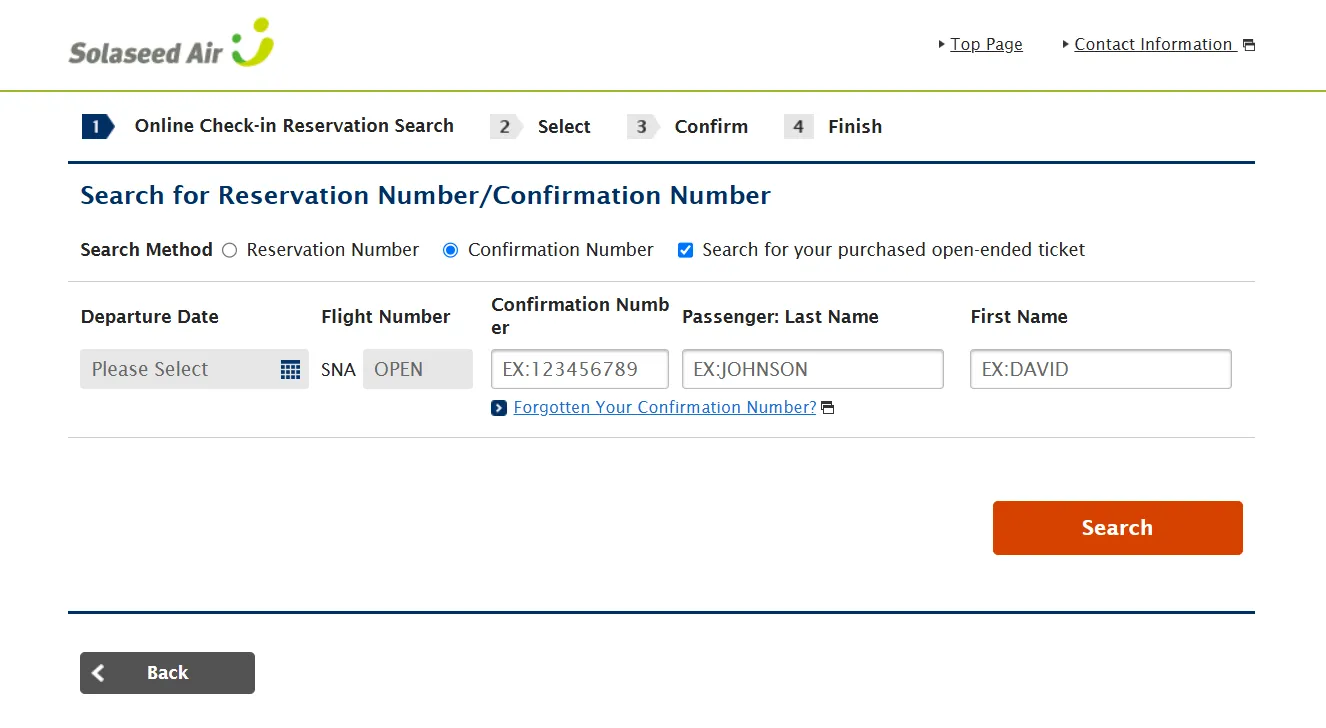
STEP3
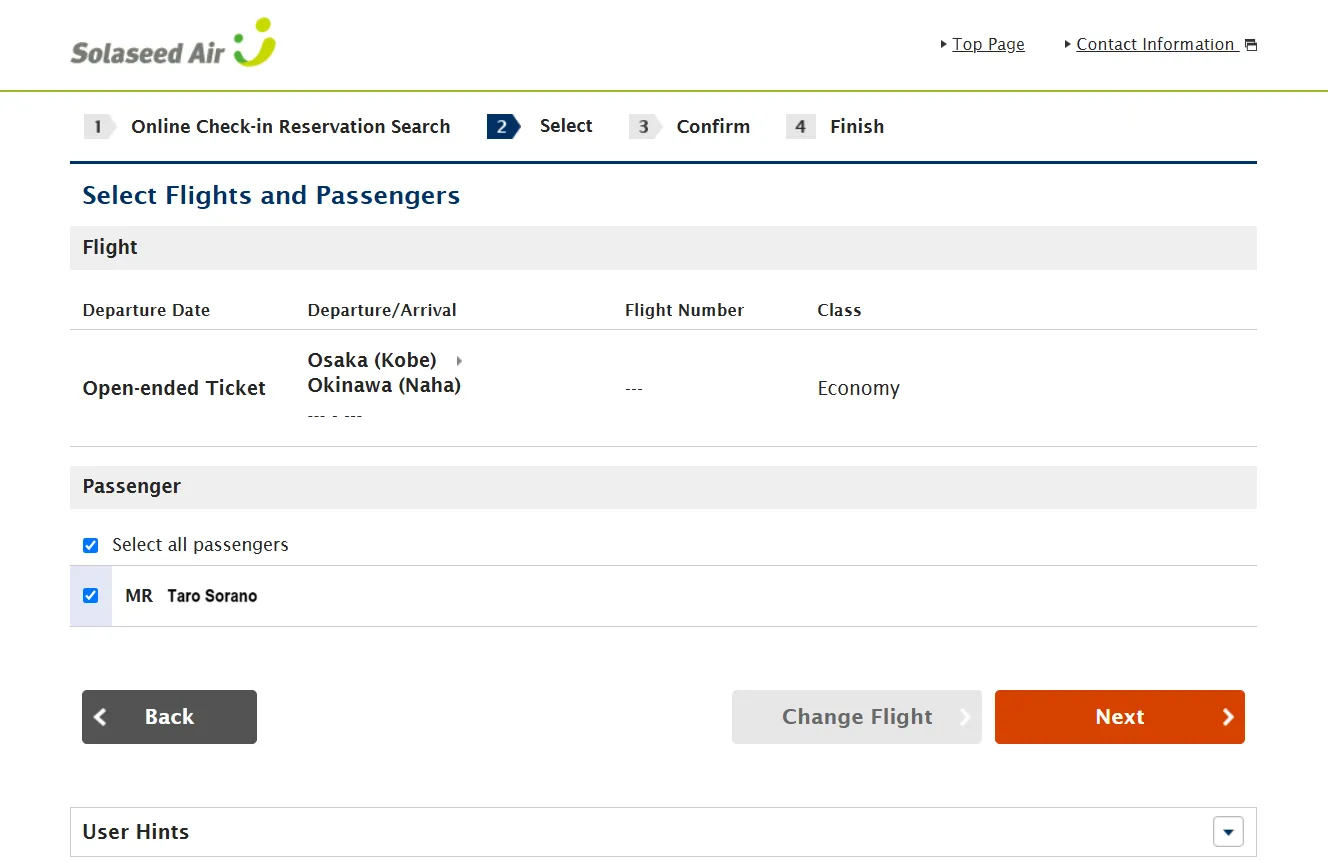
Segment of the open ticket and the passenger name will be displayed.
STEP4
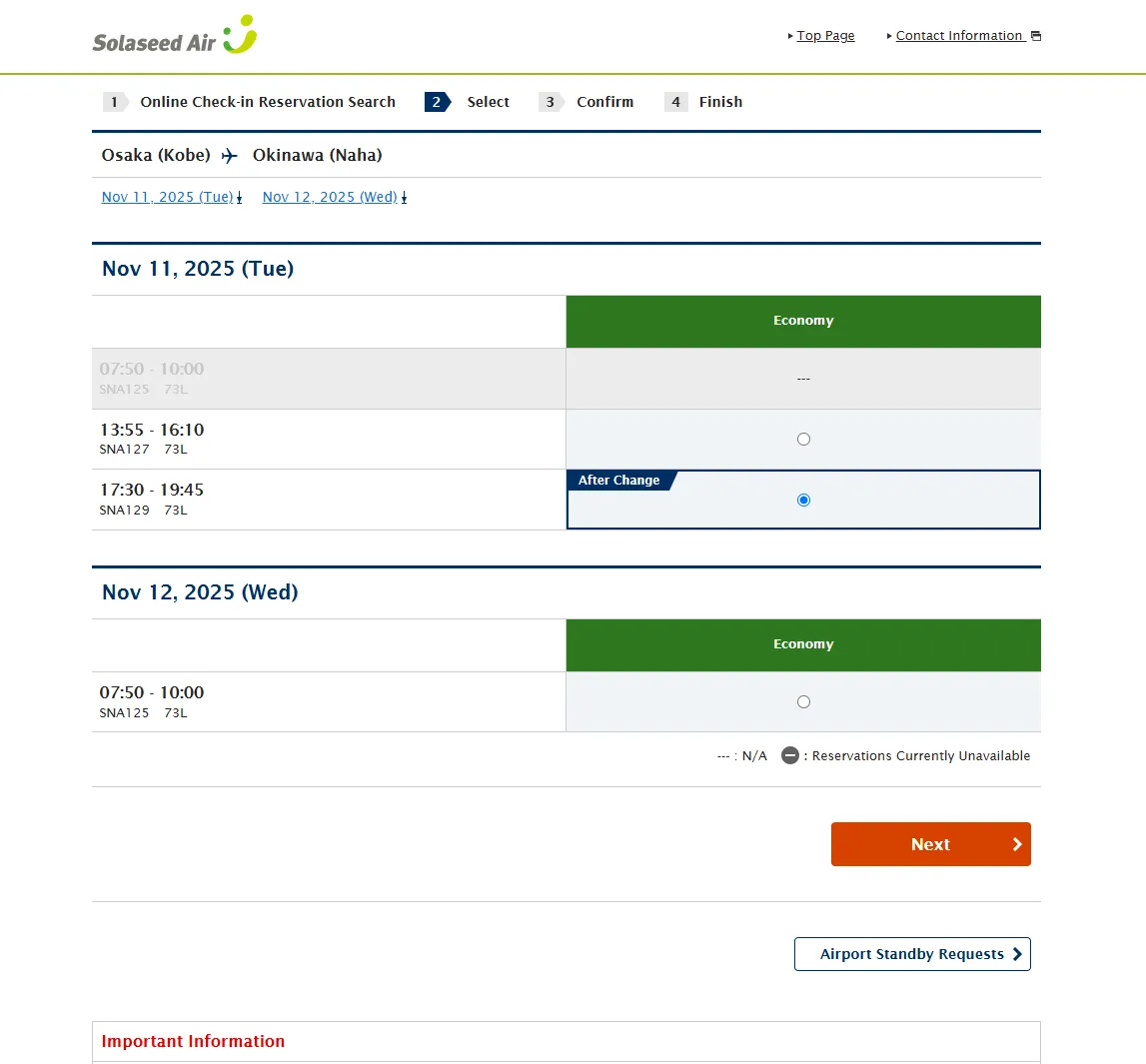
Flights departing within 24 hours from the operation time will be displayed.For the flights eligible for online check-in, "O" (circle) will be displayed.Select the flight you would like to board and click (tap) "Next".
STEP5
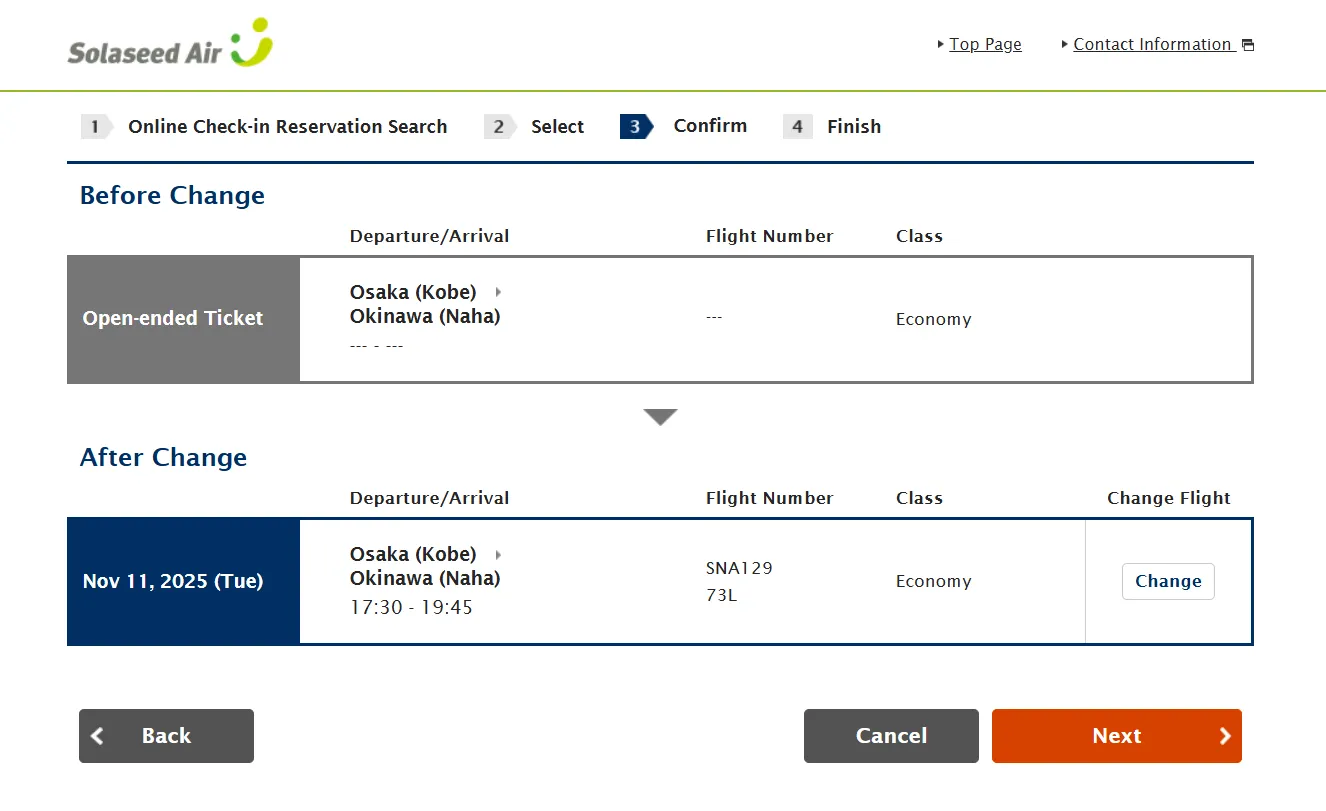
The selected flight will be displayed. Confirm the flight and click (tap) "Next".
STEP6
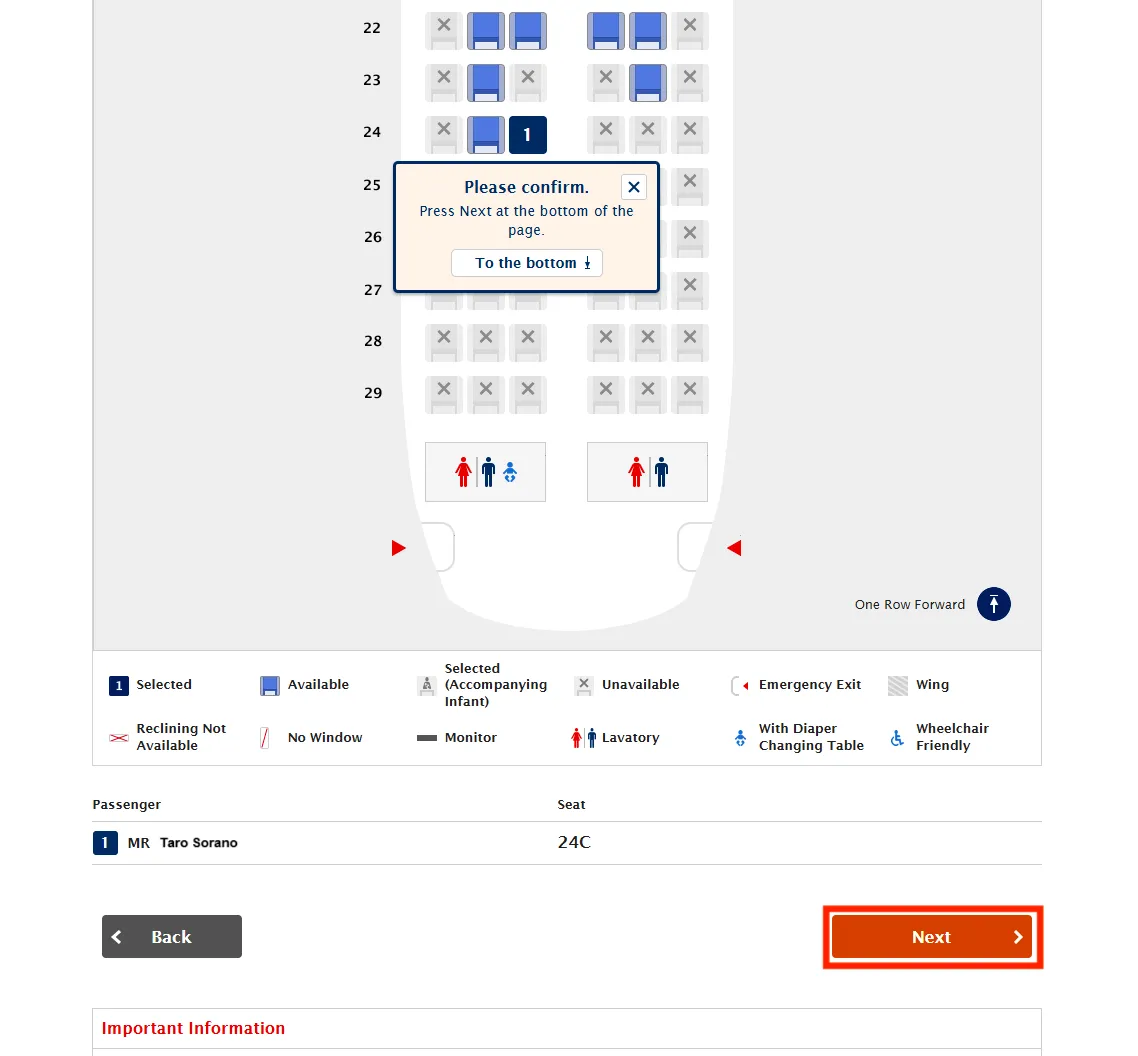
For flights departing on or before May 18, 2026:
Select the seat you would like to reserve among the seats displayed in blue, and click (tap) "Next".
- If there is no seat available for selection, please contact the Solaseed Air Reservation and Information Center.
STEP7
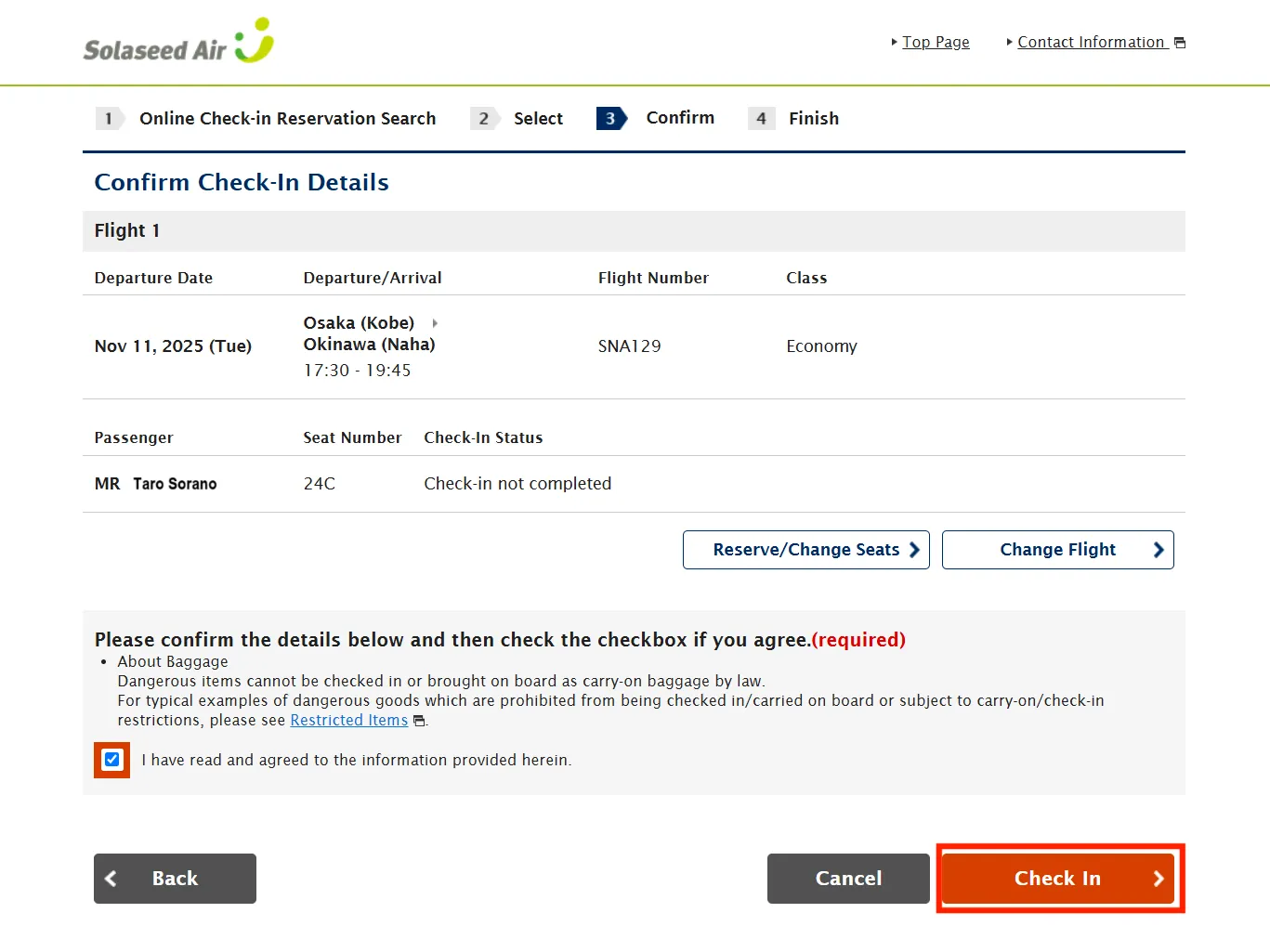
Confirm the itinerary and passengers that you are checking in online for and click (tap) "Check in".
STEP8
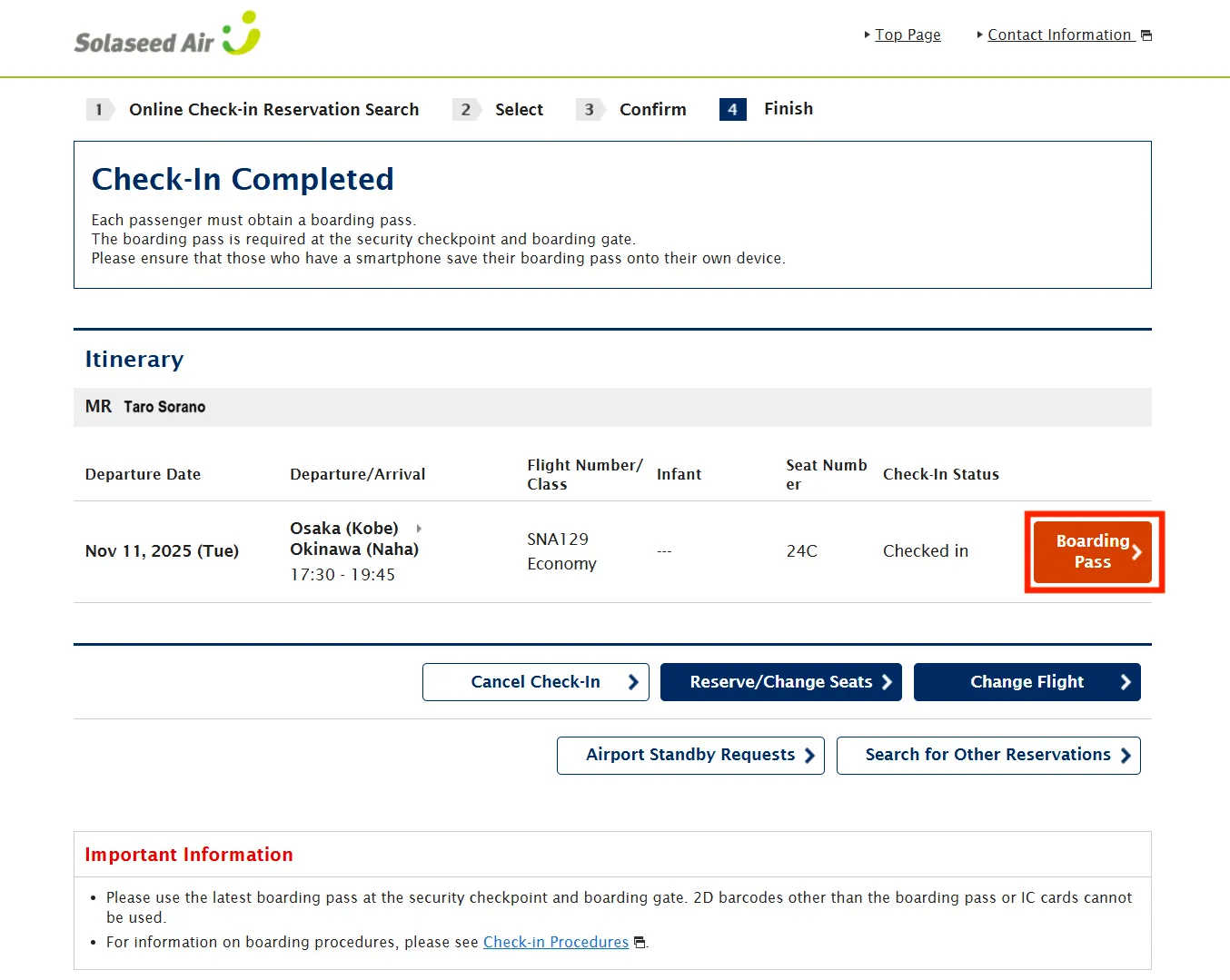
After checking in online, display your boarding pass (2D barcode).
STEP9
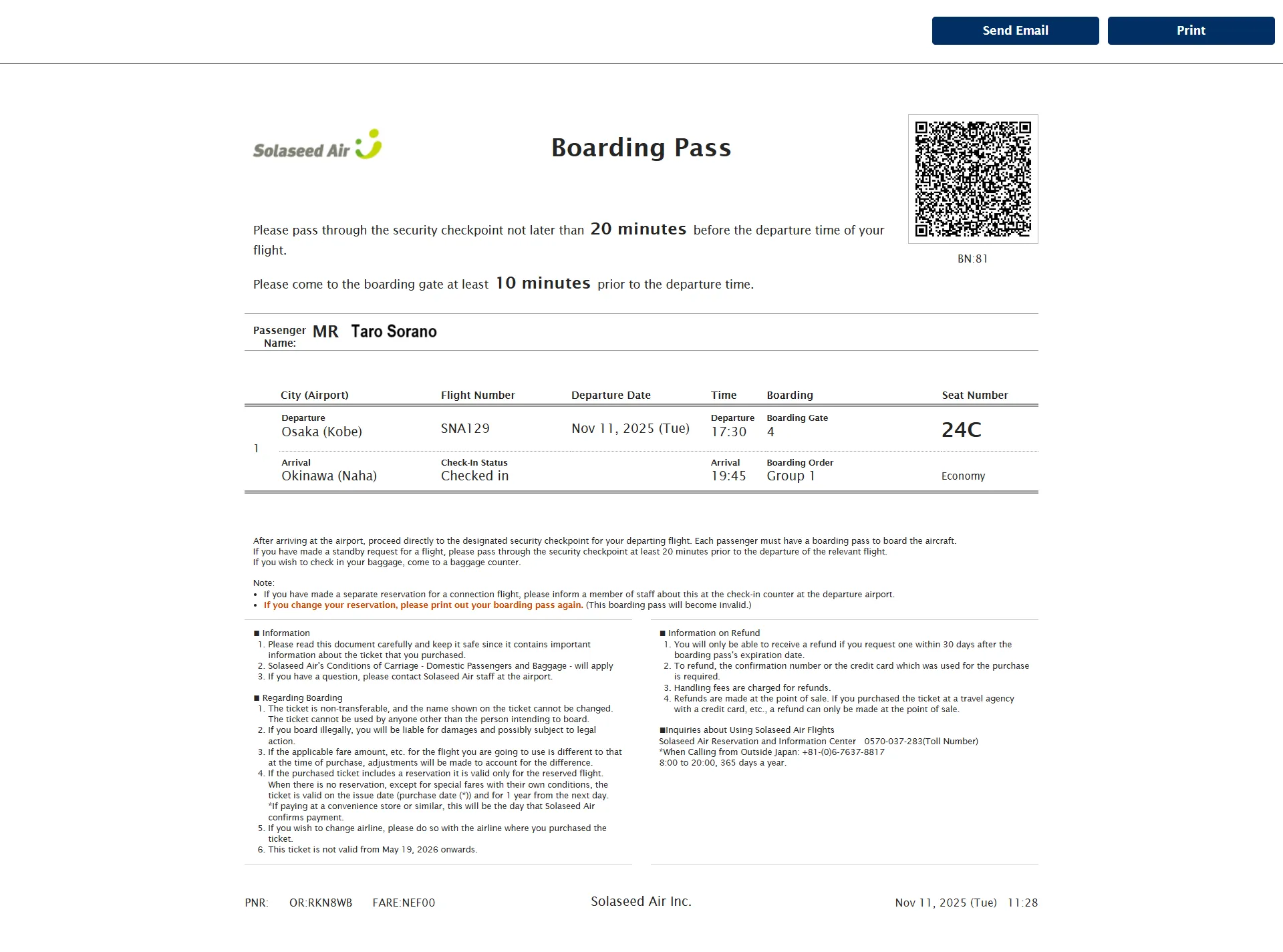
Print your boarding pass (2D barcode) or save the screen displaying your boarding pass.
- If using a PC for online check-in, print your boarding pass and bring it to the airport on the day of your flight.
- If using a smartphone for online check-in, save the screen displaying your boarding pass. (If using an iPhone, you can add your boarding pass to your Apple Wallet.)