
How to receive compensation after application
How to receive compensation after application
You will receive an email regarding the receipt of compensation after applying through the "Application for Compensation" process.
Please receive your compensation according to the receiving method you selected when applying.
If you have selected "electronic money" as their receiving method
If you have selected "bank transfer, receiving at Seven Bank ATM, or receiving at Lawson" as their receiving method
Customers who would like to receive by bank transfer
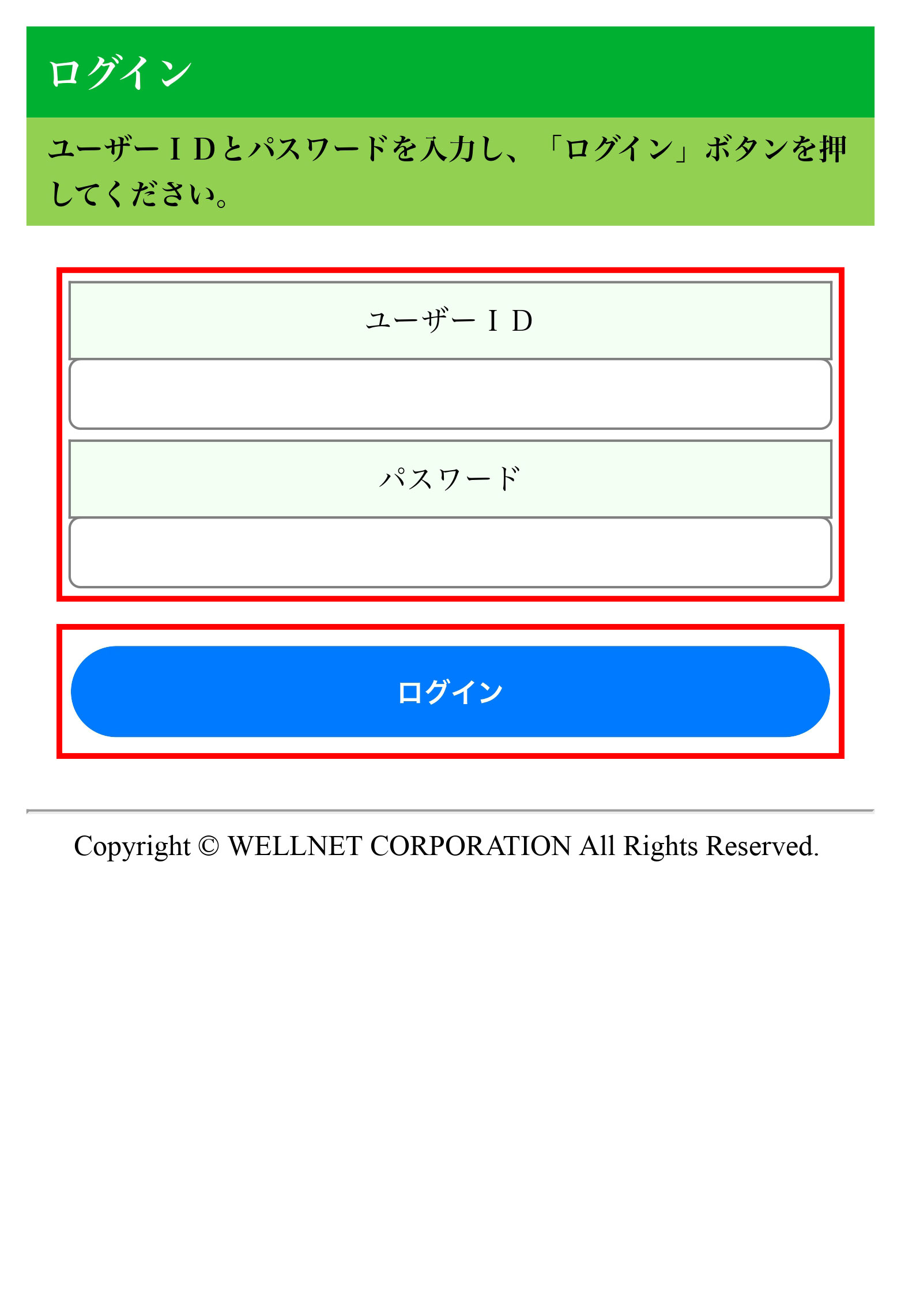
Please enter the user ID and password stated in the email and press "Login".
- Please note that if you enter incorrect information three times, you will not be able to continue operation. If you are unable to continue operation, please check Frequently Asked Questions.
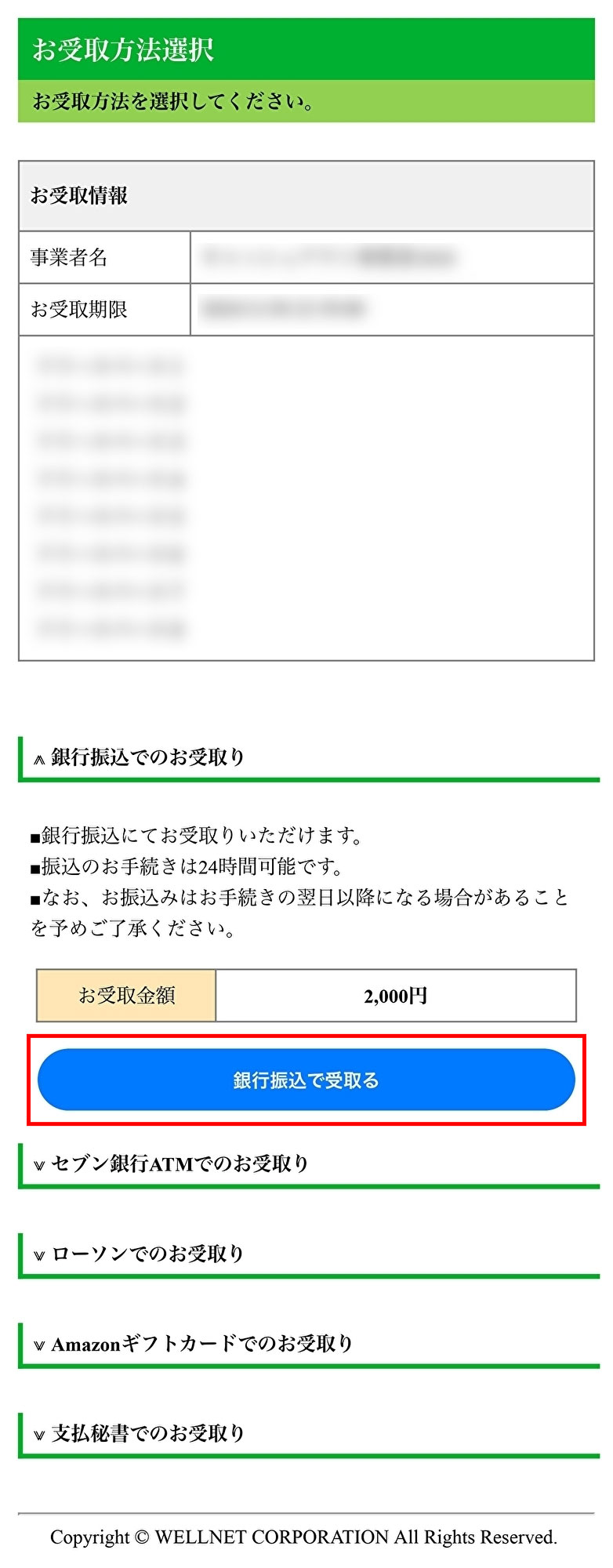
Press "Receive by bank transfer".
Check the amount to be received and press "Receive by bank transfer".
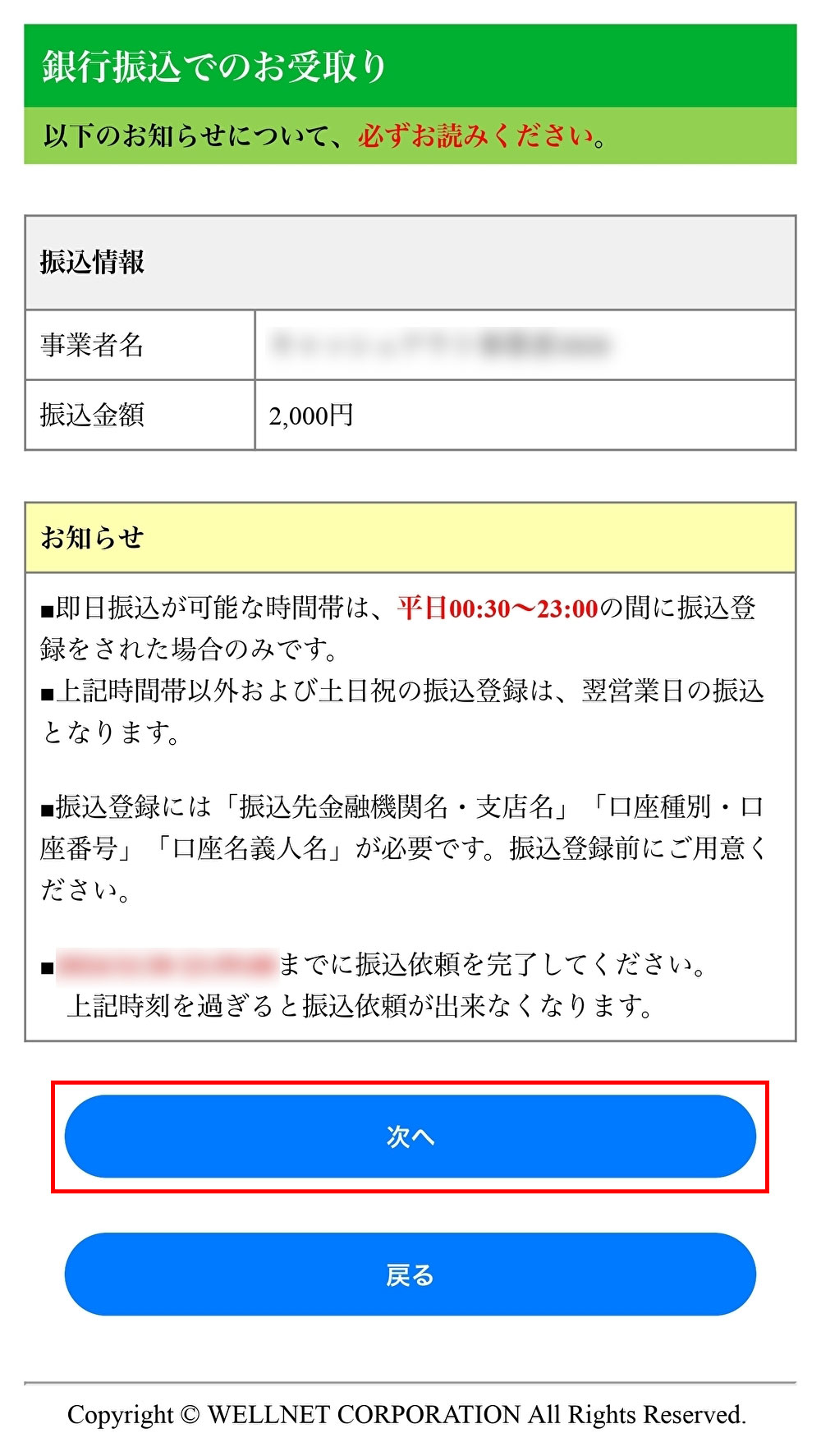
A notification will be displayed. Check the notification and then press "Next".
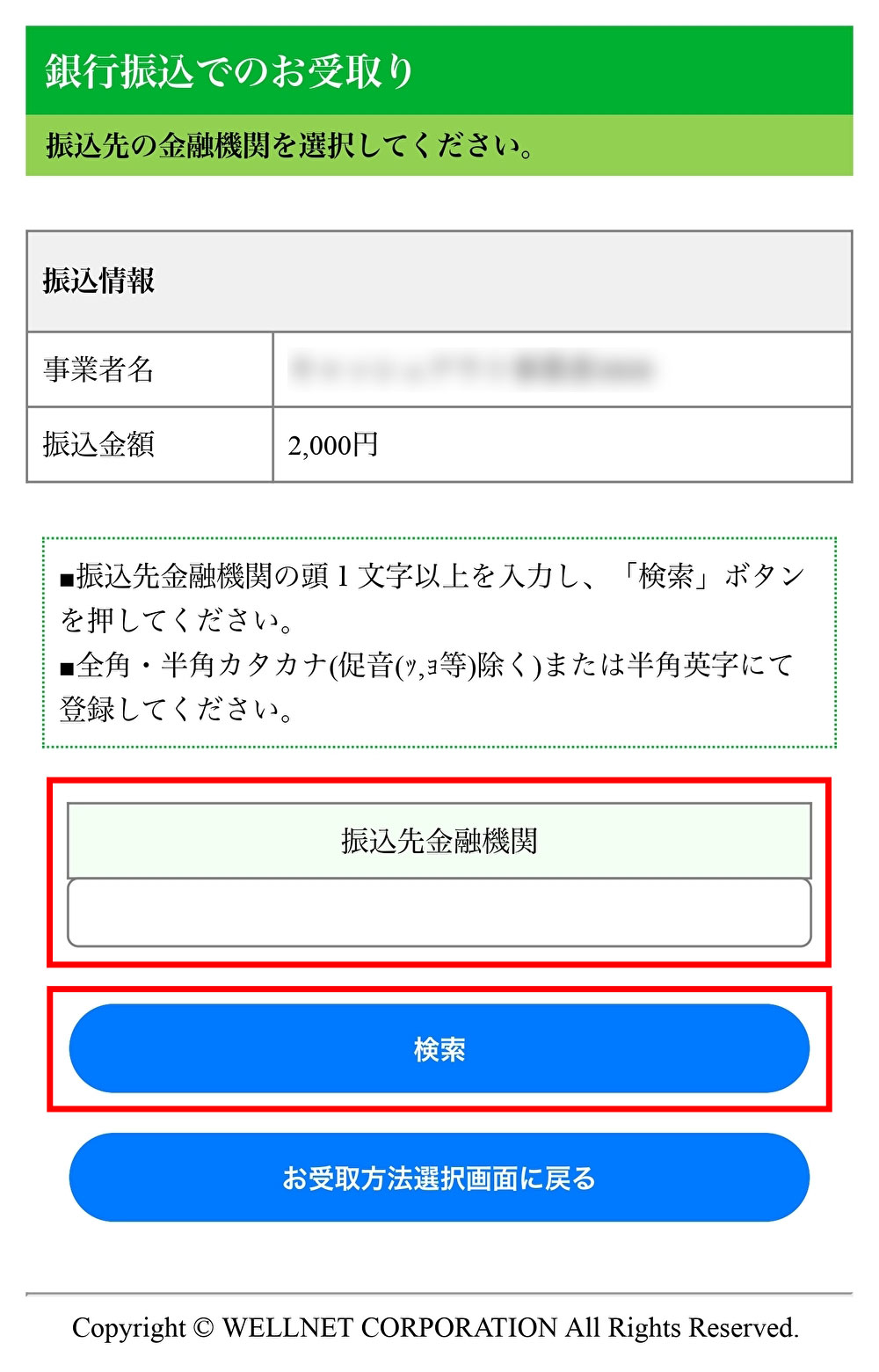
Enter the first letter or more of the name of the financial institution to which you would like to have money transferred, in katakana or half-width alphabets, and press "Search".
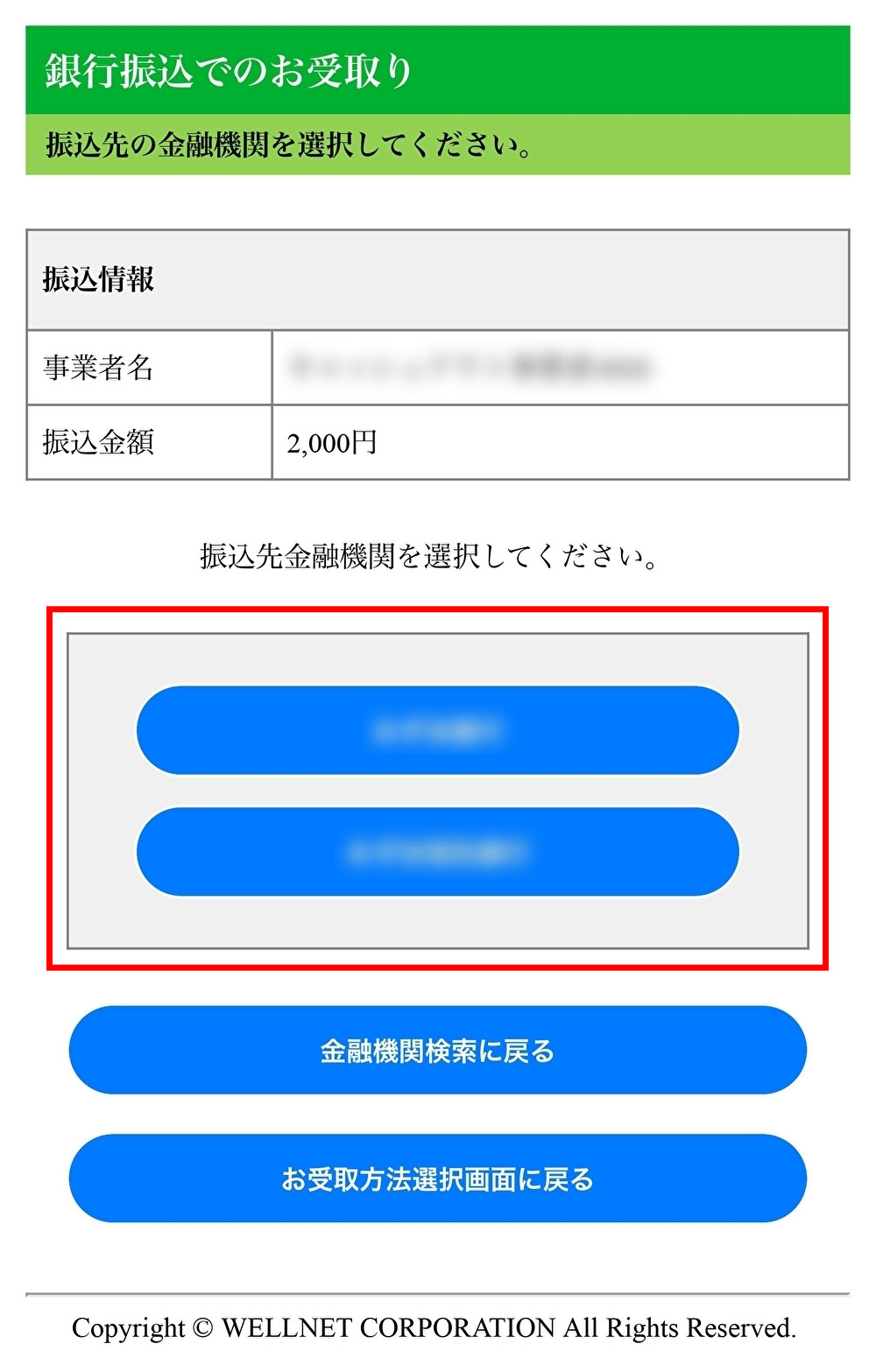
Please select the financial institution as the transfer destination.
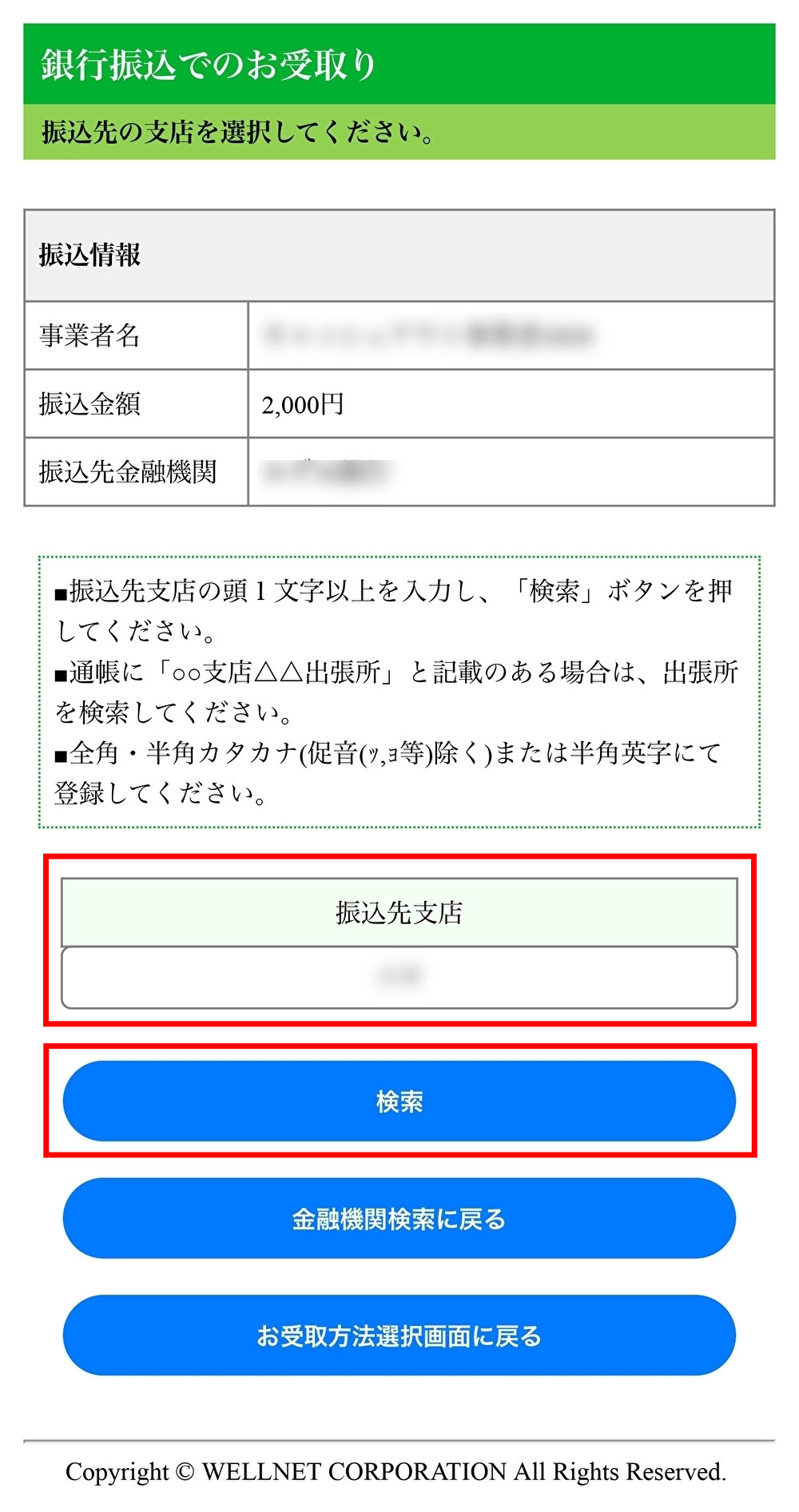
Enter the first letter or more of the name of the branch to which you would like to have money transferred, and press "Search".
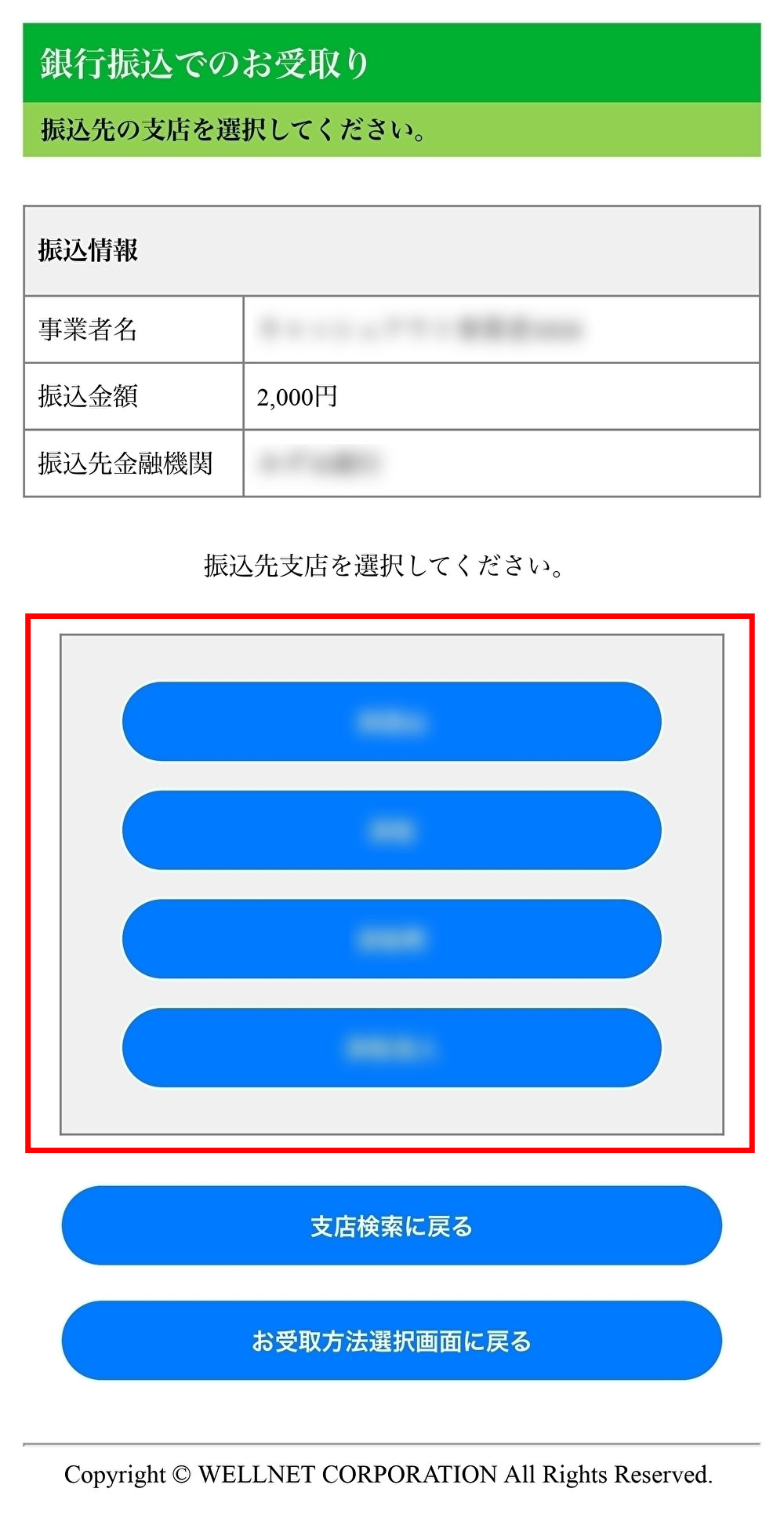
Please select the branch as the transfer destination.
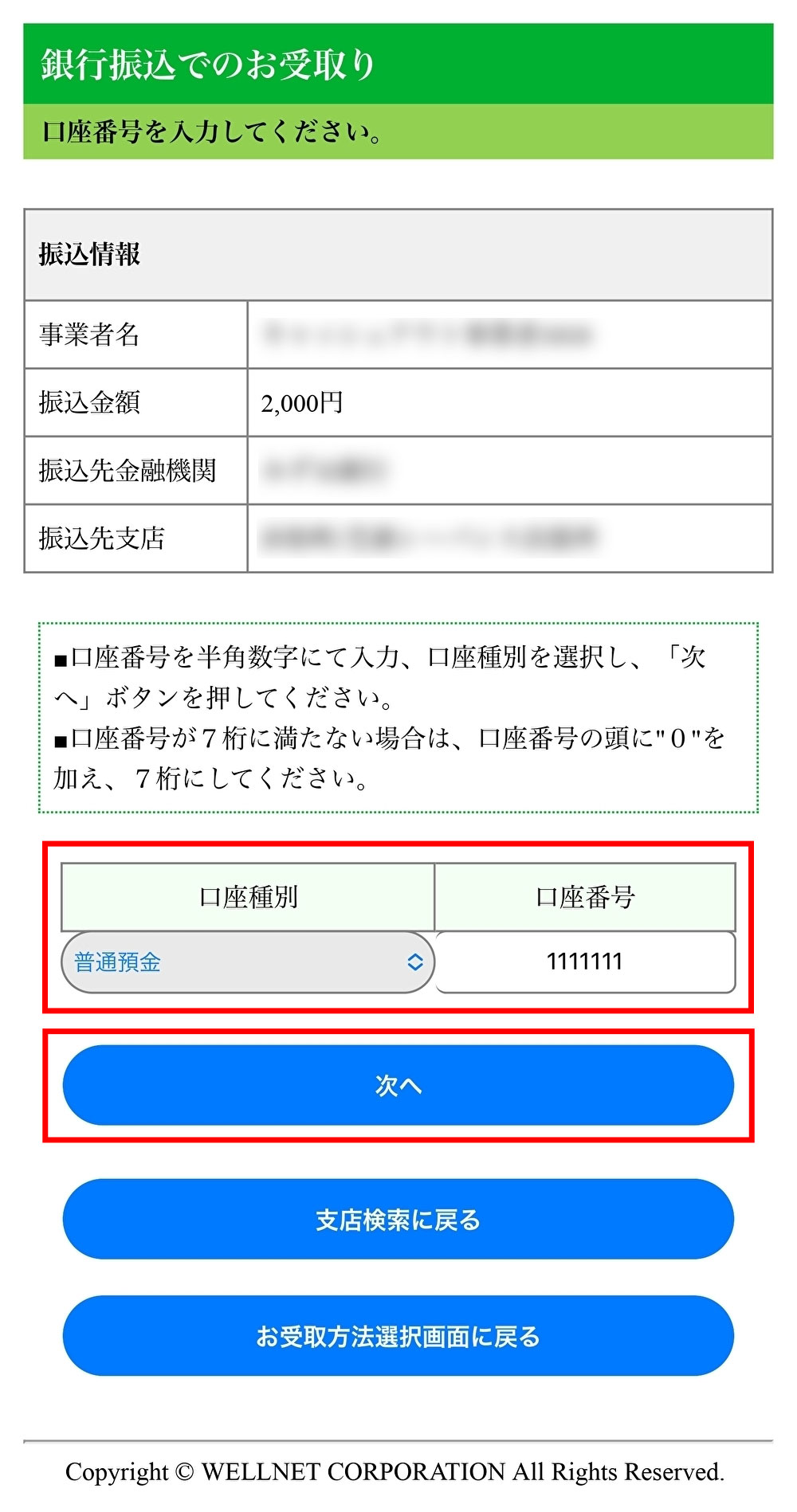
Select your account type and enter your account number.
Please press "Next".
- Please note that if you enter incorrect information six times, you will not be able to continue operation. If you are unable to continue operation, please check Frequently Asked Questions.
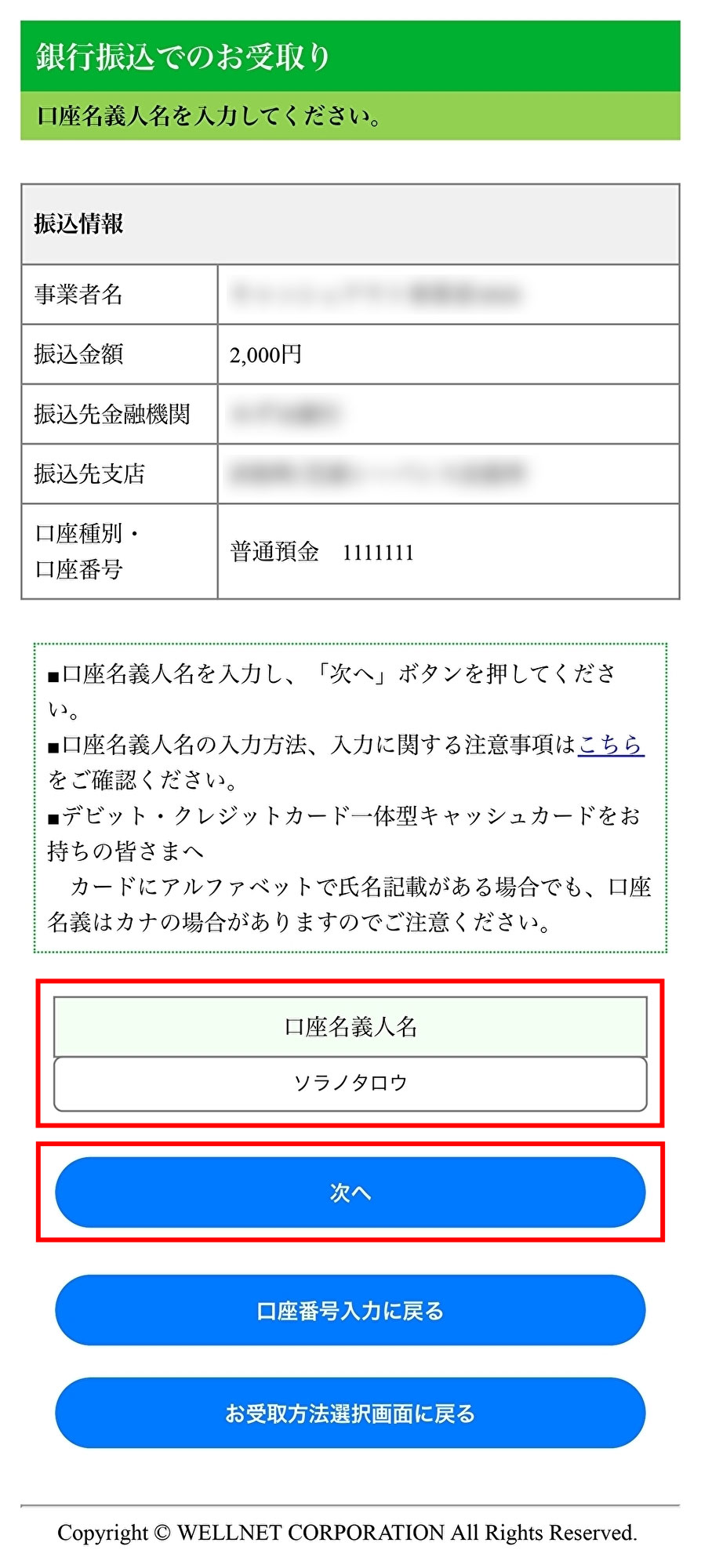
Enter the account holder's name and then press "Next".
- Please note that if you enter incorrect information six times, you will not be able to continue operation. If you are unable to continue operation, please check Frequently Asked Questions.
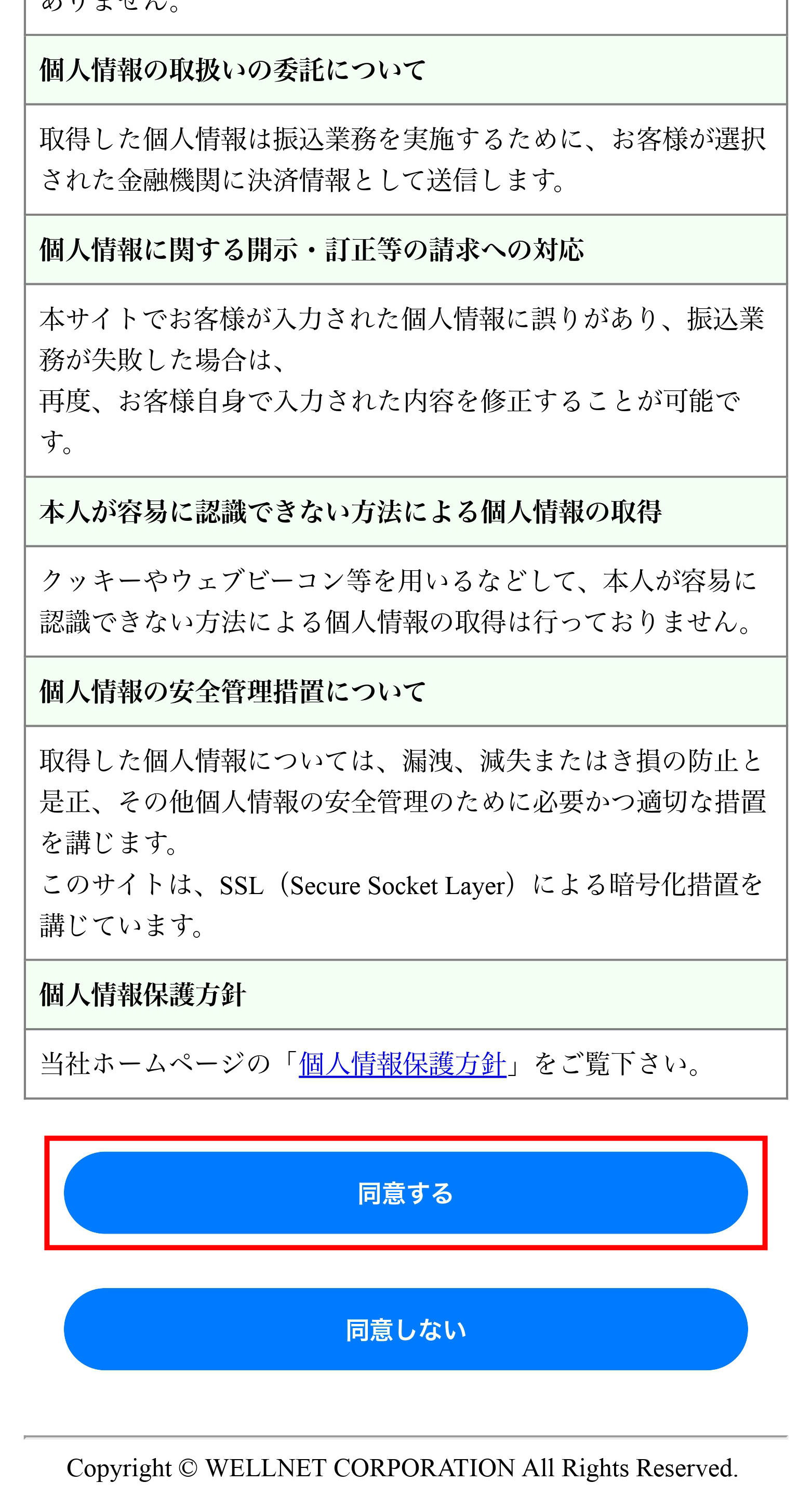
Explanations regarding the handling of personal information will be displayed. Please read them and press "Agree" if there are no problems.
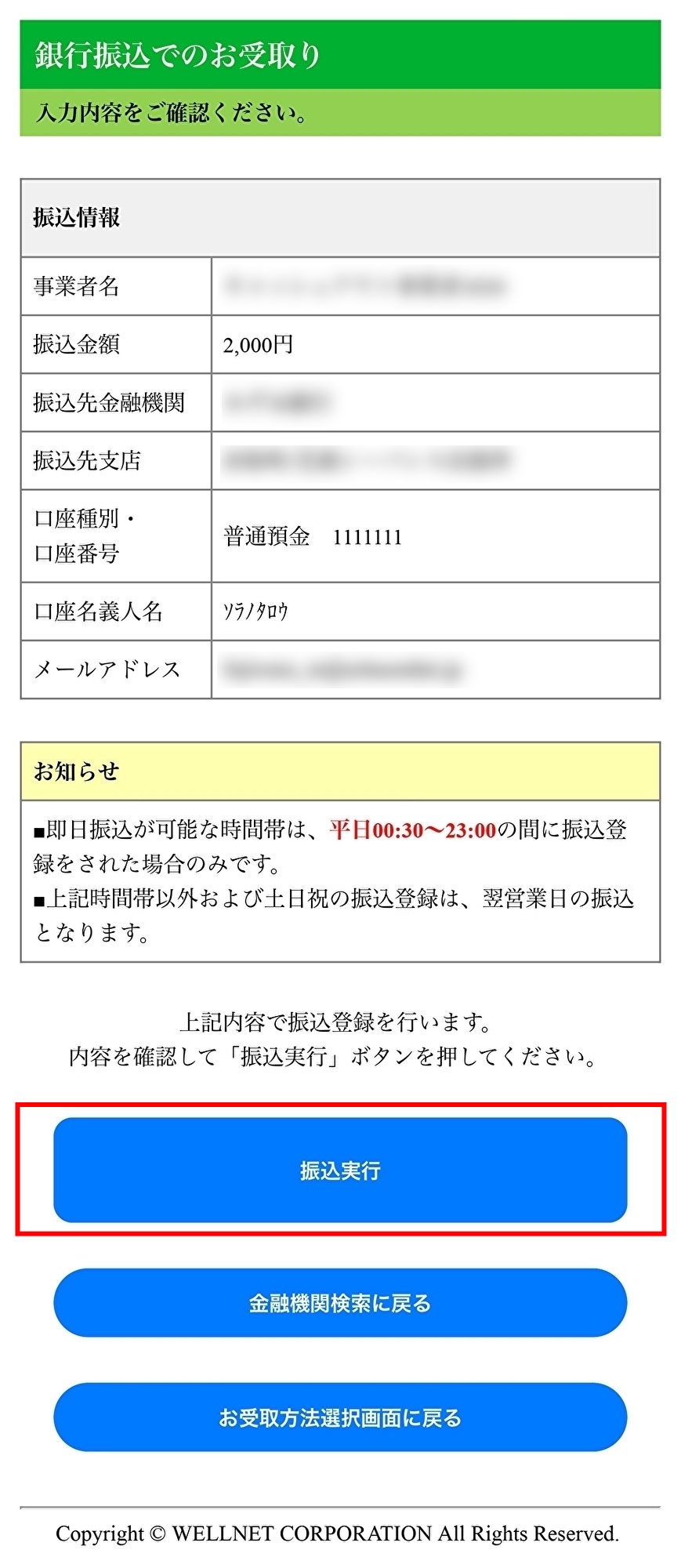
The final confirmation screen will be displayed. Please check that there are no errors in the contents, and if there are no problems, press "Transfer".
Customers who would like to receive at Seven Bank ATM
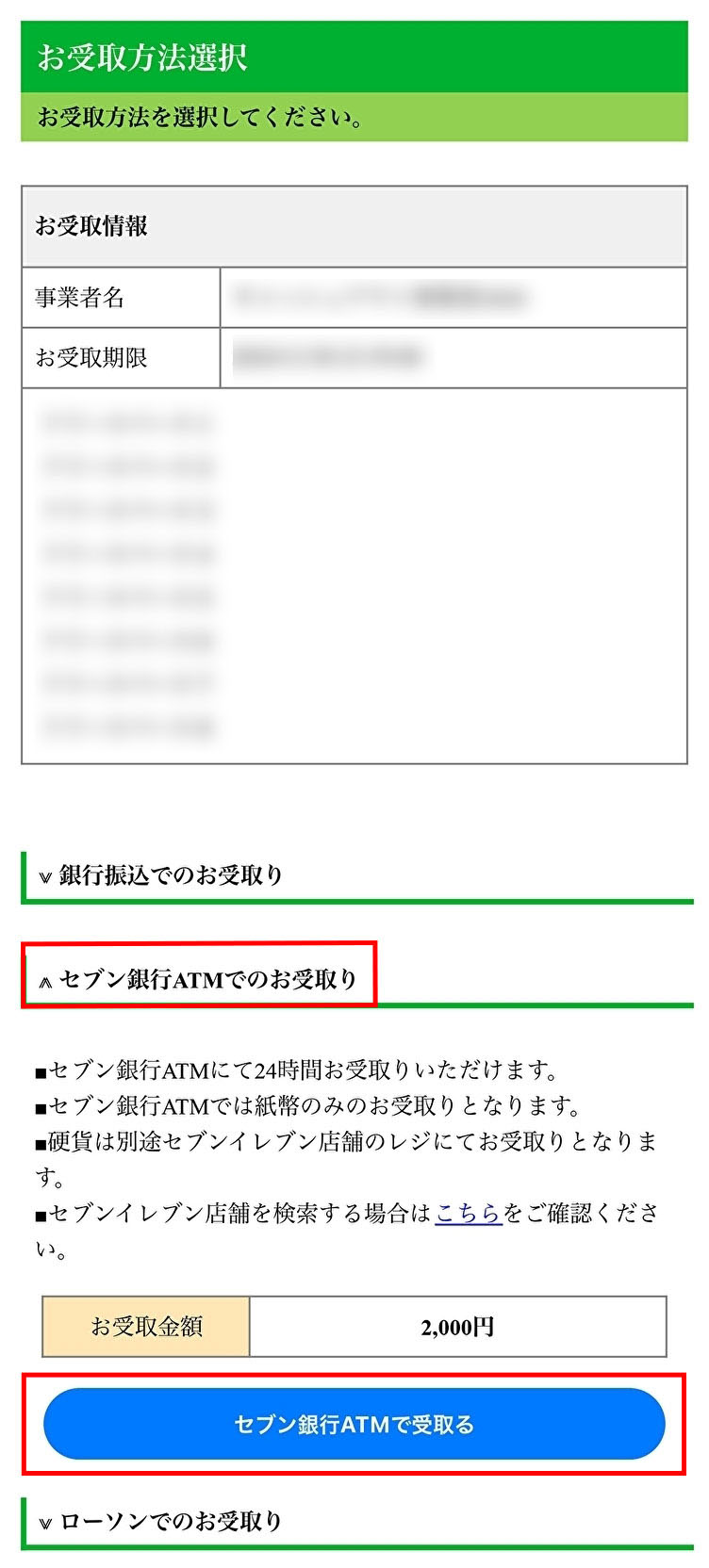
Press "Receive at Seven Bank ATM".
Check the amount to be received and press "Receive at Seven Bank ATM".
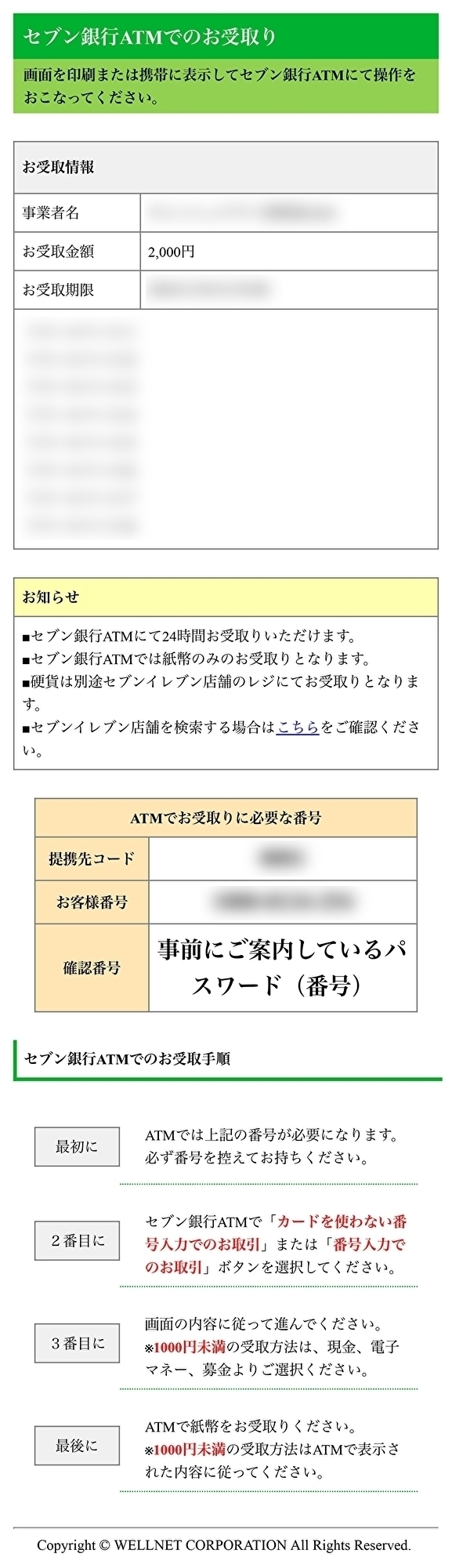
The number required to receive money at Seven Bank ATM will be displayed.
Please print out the screen or save it as a screenshot on your smartphone.
Please read the "Procedure for Receiving at Seven Bank ATM" carefully and receive a compensation by following the described steps.
Customers who would like to receive at Lawson
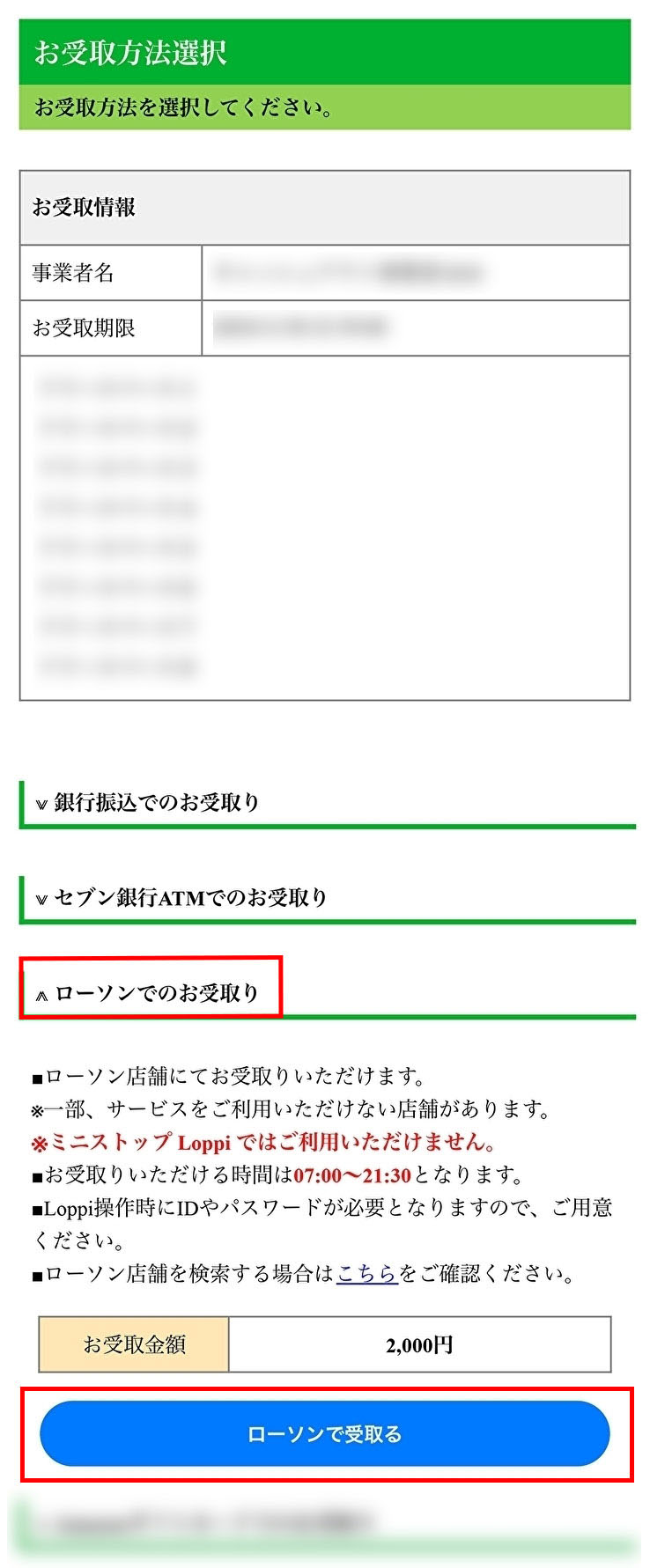
Press "Receive at Lawson".
Check the amount to be received and press "Receive at Lawson".
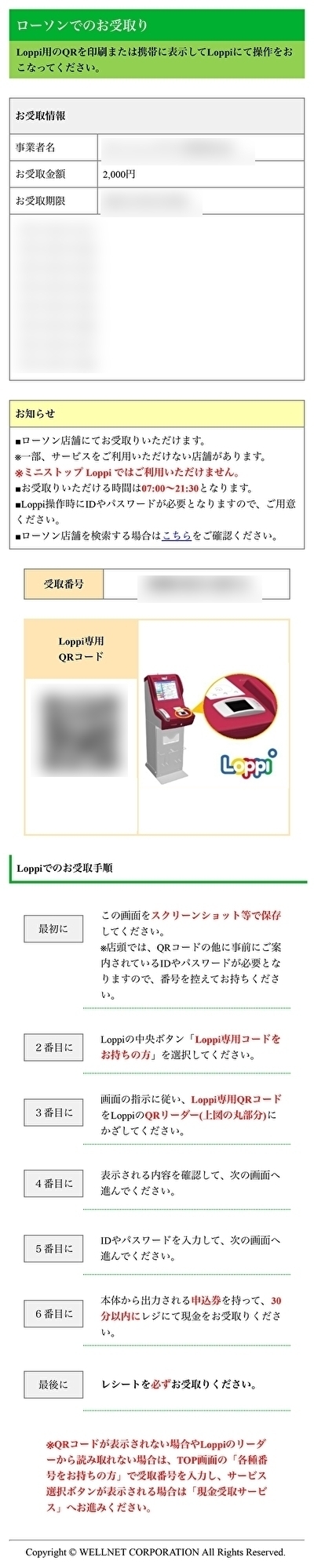
The number required to receive money at Lawson (Loppi) will be displayed.
Please print out the screen or save it as a screenshot on your smartphone.
Please read the "Procedure for Receiving through Loppi" displayed on the screen carefully and receive a compensation by following the described steps.