
Email Notification Service
This services provides, by email, information on the status of your reserved flight, other reservation information, and the arrival and departure information for your family members' flights.
- If there are restrictions on the email you can receive using your smartphone or cell phone, please configure your device to ensure you can receive email from 「@solaseedair.jp」.
- This service is not available for group reservations.
Reservation-related Information
Reservation Information Emails
Emails related to your reservation will be sent automatically to the email address you specified at the following times.
- When the reservation is completed
- When the reservation is changed
- When a cancellation or refund takes place
- When payment by credit card is completed
- The day before a payment deadline
Cautions
No email will be sent when convenience store payment or Pay-easy Compatible ATM payment is completed.
When the payment is completed, you will see the display of "purchased" on the reservation detail page. Click here to search reservations.
Reservation Confirmation Emails
Current reservation details will be sent to the email address you specified.
Cautions
Unlike reservation information emails, reservation confirmation emails are not sent automatically.
Those who wish to receive email must enter their email address each time.
(Your email address will not be saved.)
Flight Information Emails
Emails with information related to your reserved flight after purchase will be sent automatically to the email address you specified at the following times.
- If the boarding gate changes
- If your reserved flight undergoes a scheduling change or is cancelled
- If a weather survey is in effect
- If a may-divert status is established
- When the alternative flight arrangements have been completed
- When the boarding announcement begins
Online Check-in Notification Emails
An online check-in notification email will be sent automatically to the email address that was registered in the flight information email at the following timing:
Learn more about How to Register Flight Information Email and Reservation Information Email
- Approximately 24 hours prior to your scheduled departure
- Approximately 2 hours prior to your scheduled departure
Departure/Arrival notification email
Emails with information related to the flights of your family members, etc. will be sent automatically to the email address you specified at the following times.
- When the flight departs from the departure airport
- When the flight arrives at the destination airport
- When the destination airport of the flight is changed
- When the flight returns to the departure airport
How to Register/Receive Emails
How to Register Flight Information Email and Reservation Information Email
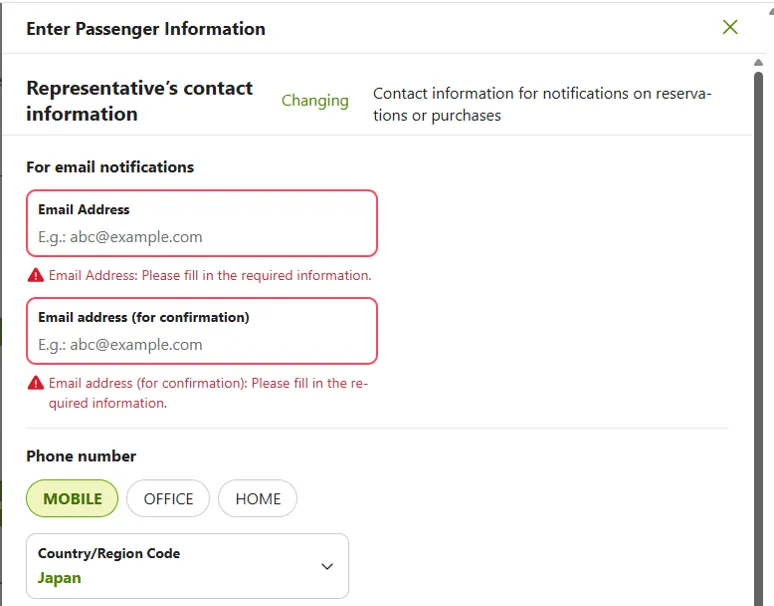
Please enter your email address in the "Representative's contact information" section of the "Enter Passenger Information" screen that appears when making a reservation.
We will send a Reservation Information Email to the email address you entered when reservation is complete or when your credit card payment is complete, etc.
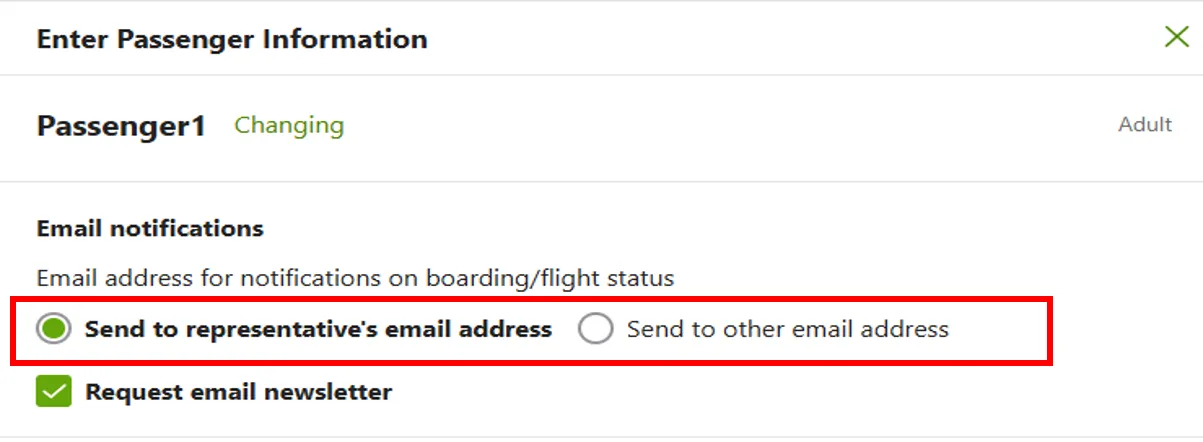
Please enter the necessary information for each passenger after entering the representative's contact information.
For each passenger, you can choose to receive notifications on boarding/flight status at the representative's email address or at the another specified email address.
Please select your preferred contact information.
How to Register Departure/Arrival Notification Email
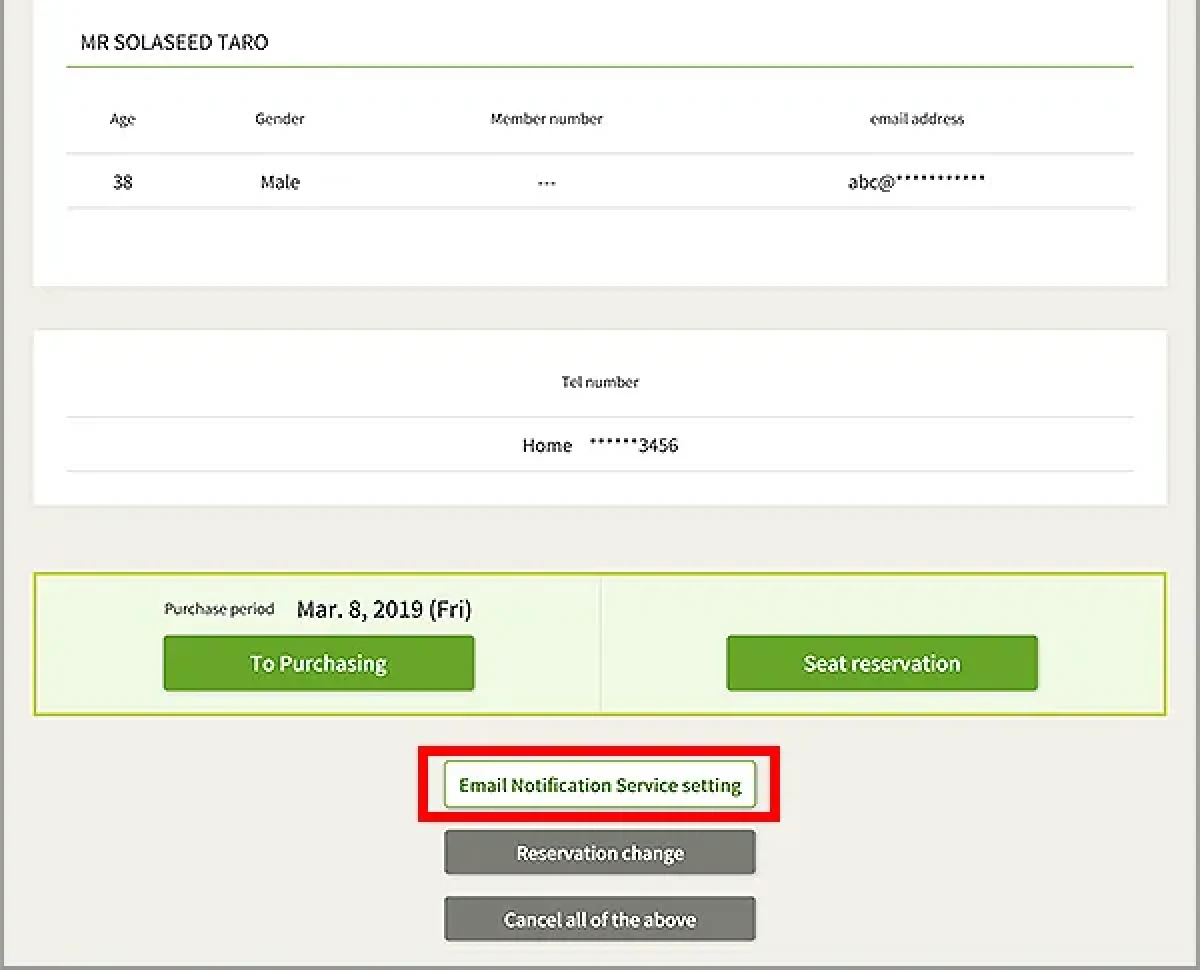
When making a reservation, please enter the email recipient's name and email address of the departure/Arrival notification email for each passenger in the "Other Information" section at the bottom of the "Enter Passenger Information" screen. We will send an email with flight information to the email address you registered.
How to Receive Reservation Confirmation Emails
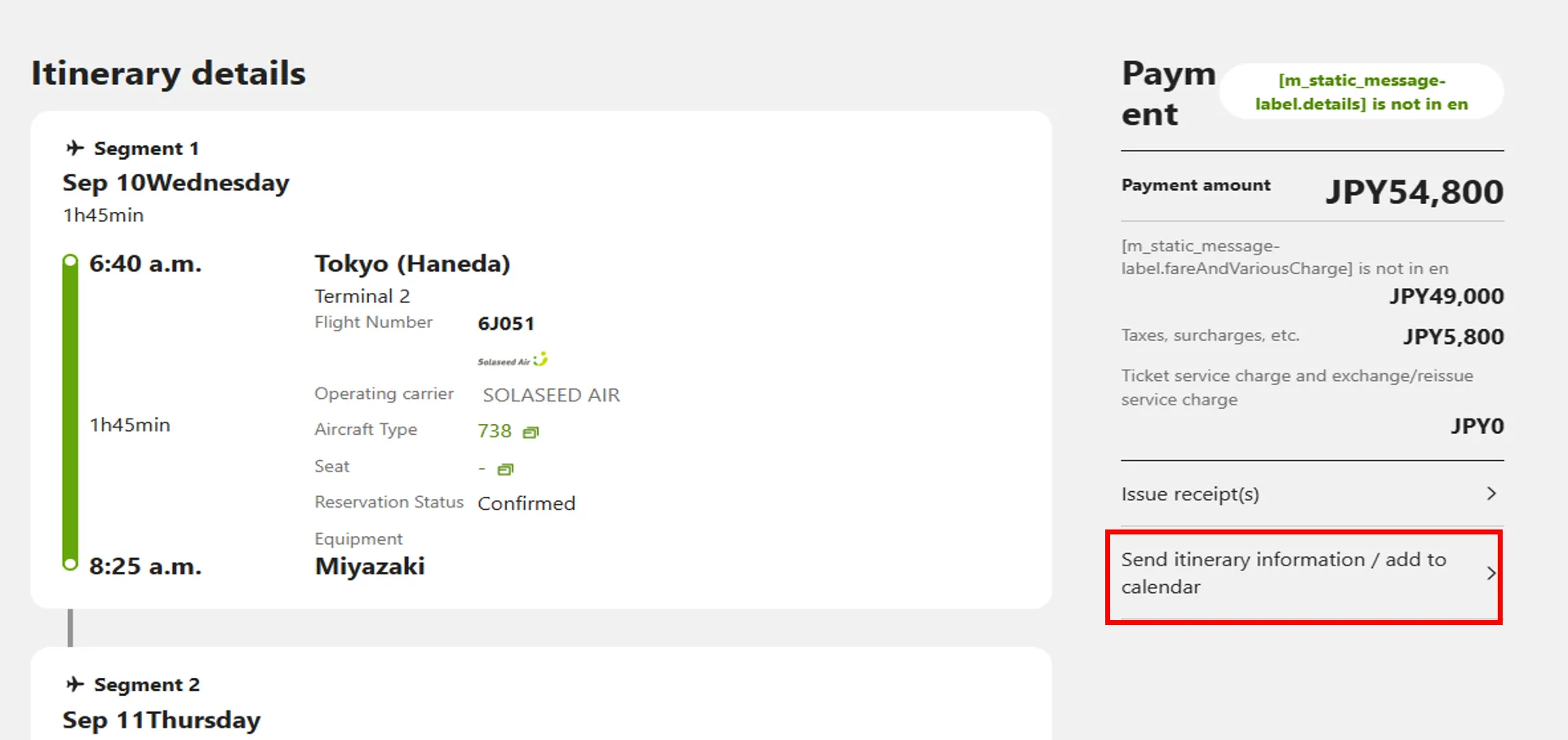
Please select "Send itinerary information/add to calendar" at the "Itinerary Details" screen displayed when you complete or confirm your reservation.
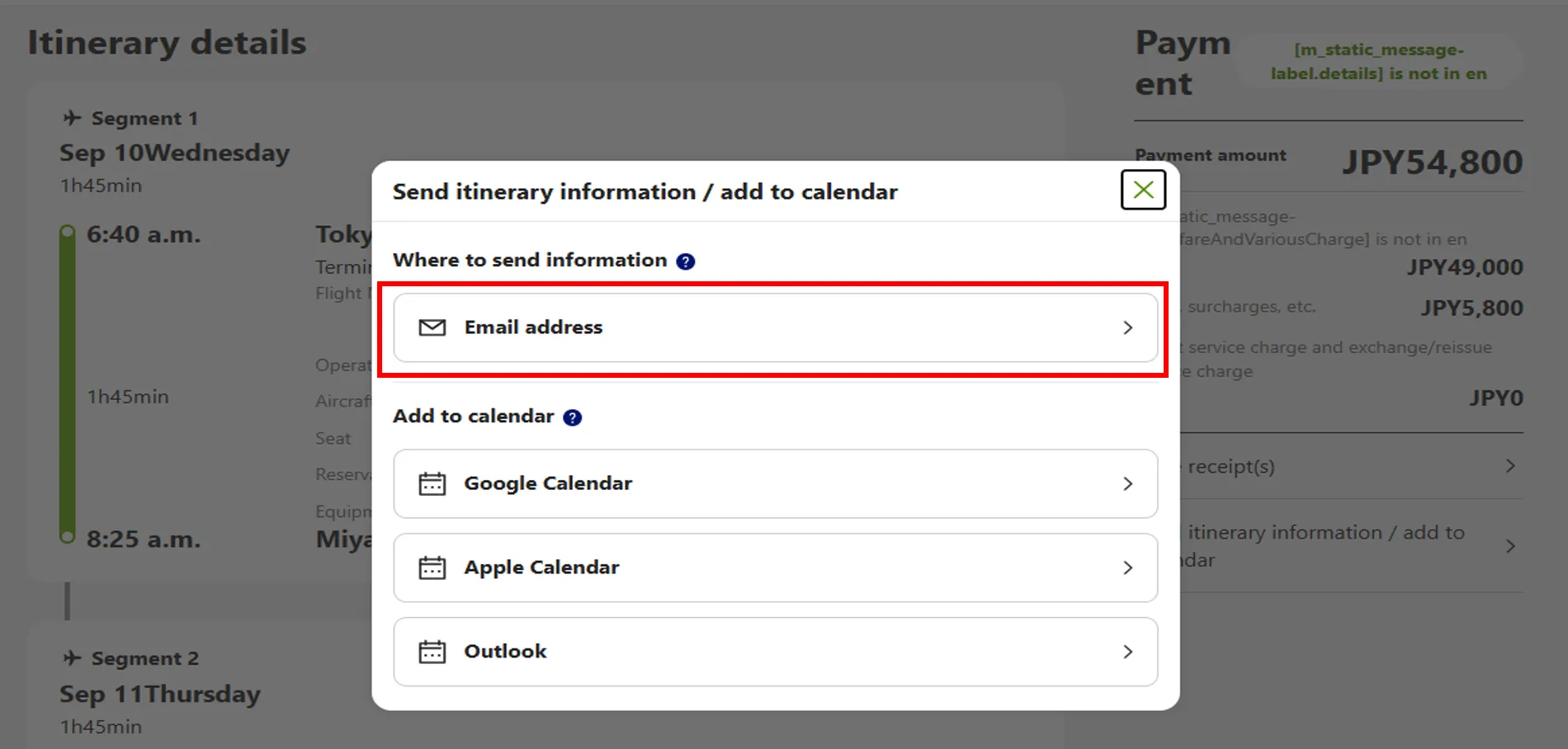
Please select "Email address" at the "Send itinerary information/add to calendar" screen.
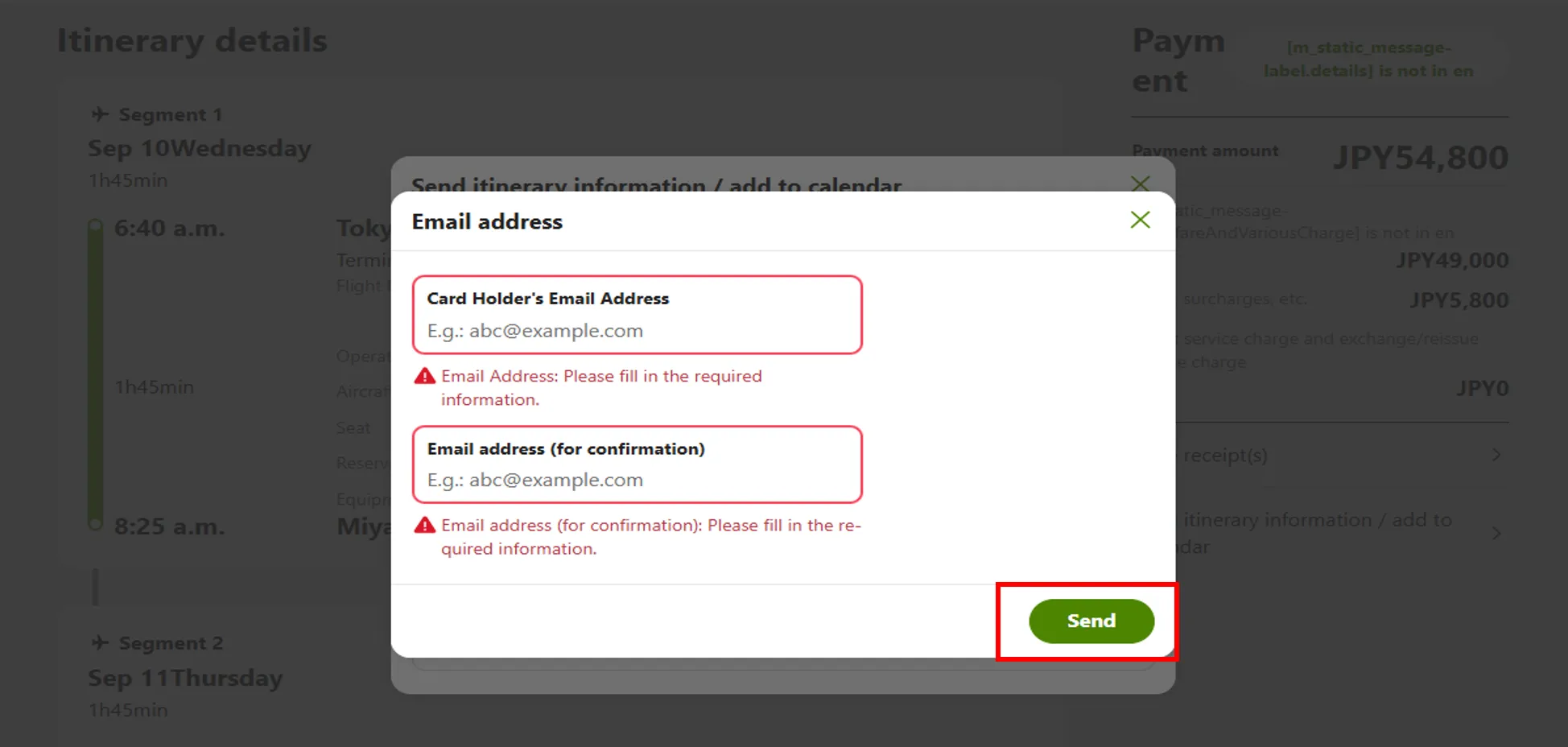
Please click "Send" button after entering the email address.