
Operating Instructions for the Multi-Function Copier at FamilyMart
Operating Instructions
- We recommend that you print this page and bring it with you to the store.
- Before visiting a convenience store, please be aware that you cannot use in-store terminals to change a reservation.
- This method cannot be used for reservations for which another payment method has been selected.
- Note that this method cannot handle tour products or reservations that include wait-listed flights.
STEP1
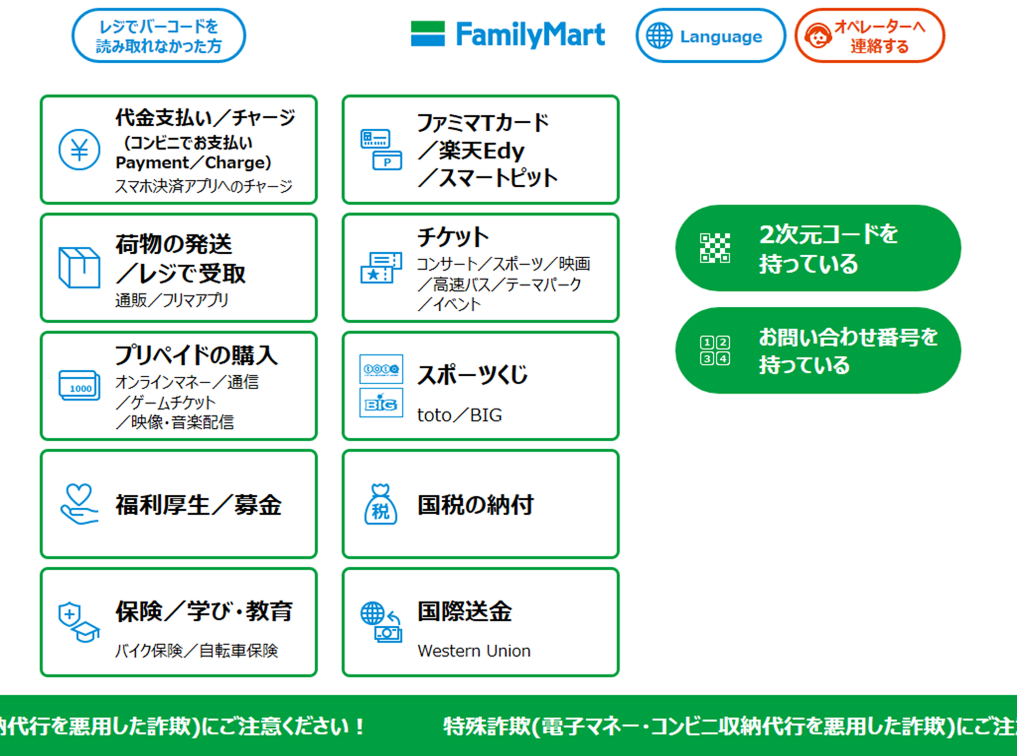
Select "代金支払い (Make a Payment)" from the left side of the menu screen.
STEP2
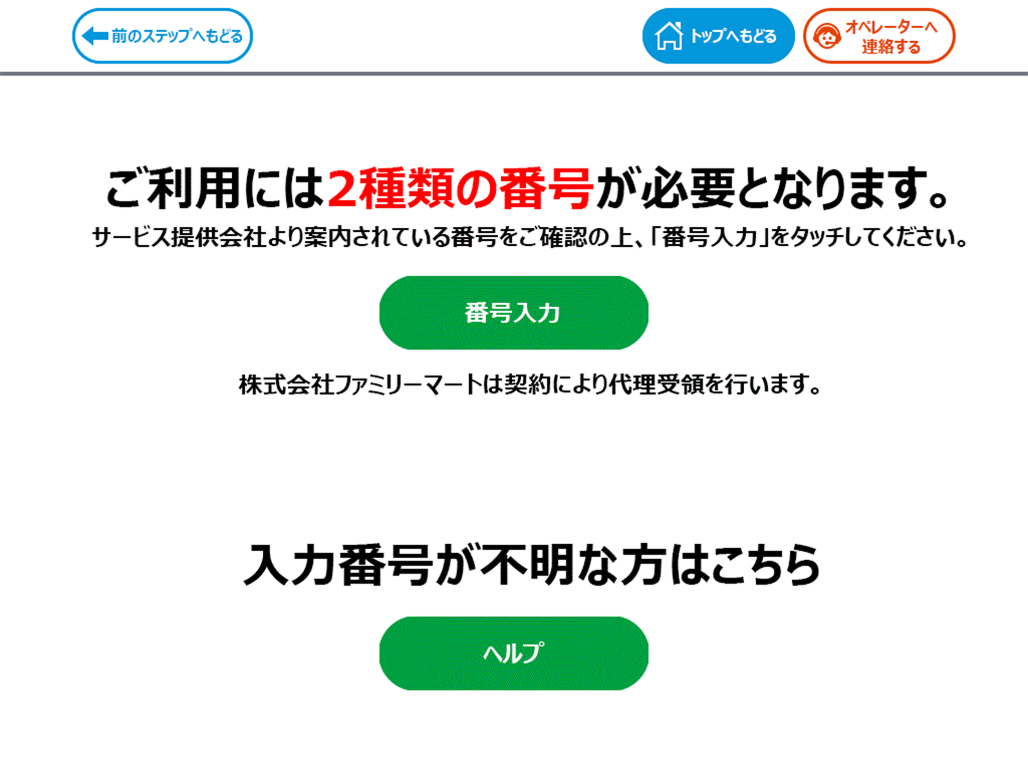
Tap "番号入力 (Number Input)".
STEP3
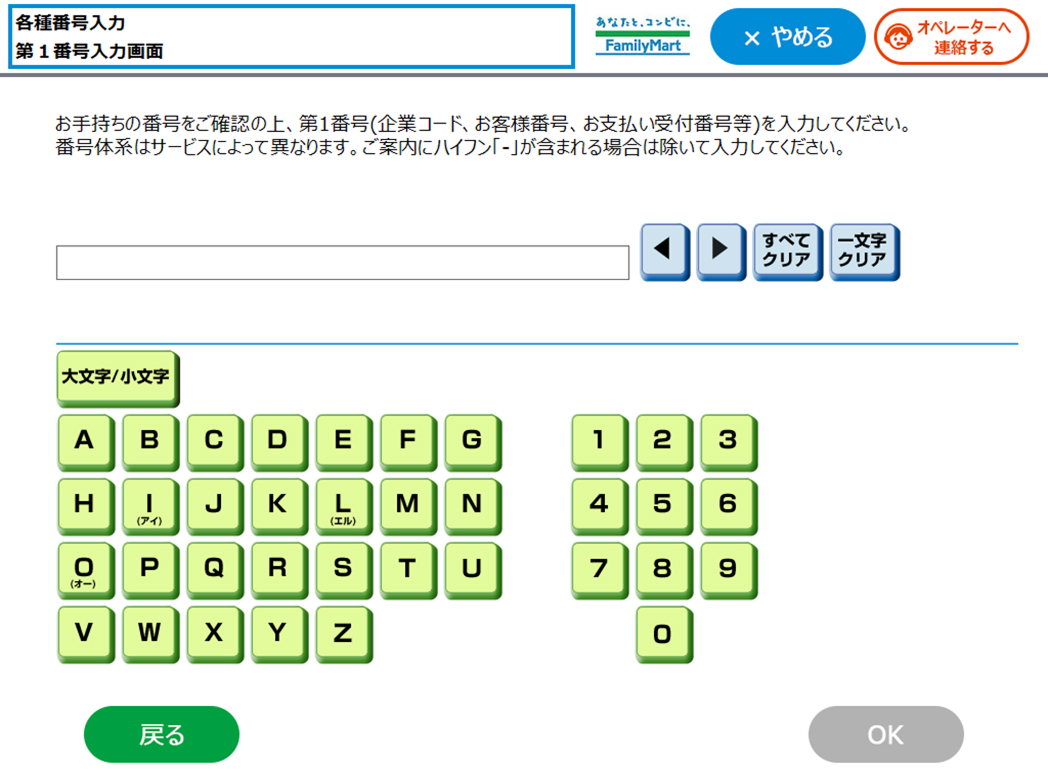
Input Airline (SNA), and flight number (two digits) (E.g: SNA51) and then tap "OK".
Cautions
The Multi-Function Copier screen does not provide any instructions on how to operate it.
STEP4
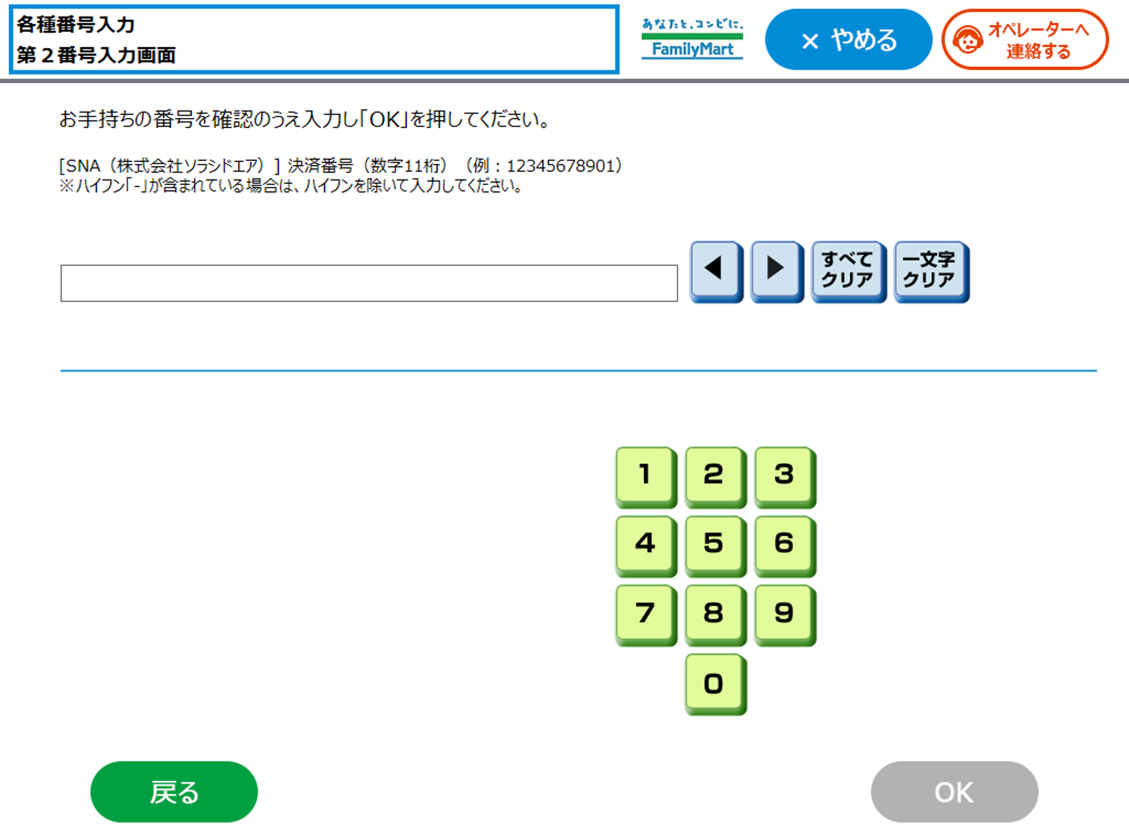
Input the payment number (11-digit number/excluding hyphens) and then tap "OK".
STEP5
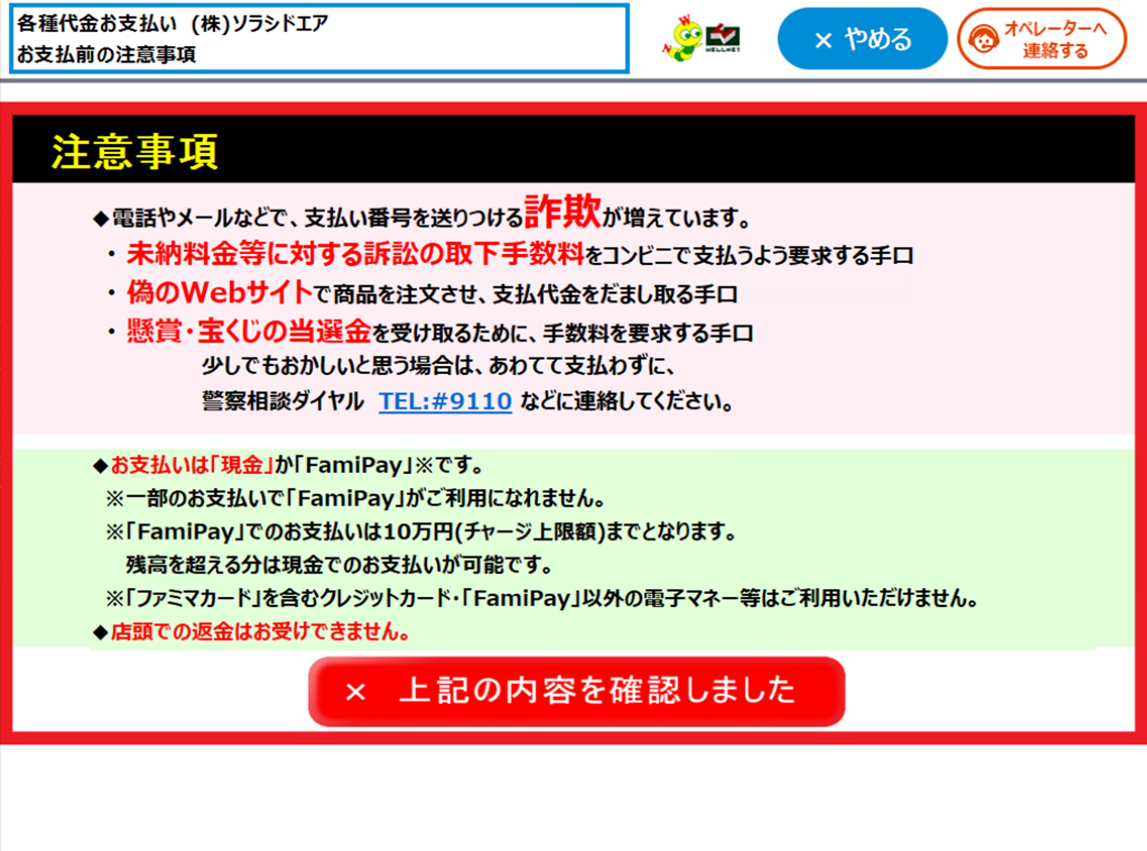
Notes regarding the payment method will be displayed. After confirming the details, tap "上記の内容を確認しました (I Have Confirmed the Details Above)".
STEP6
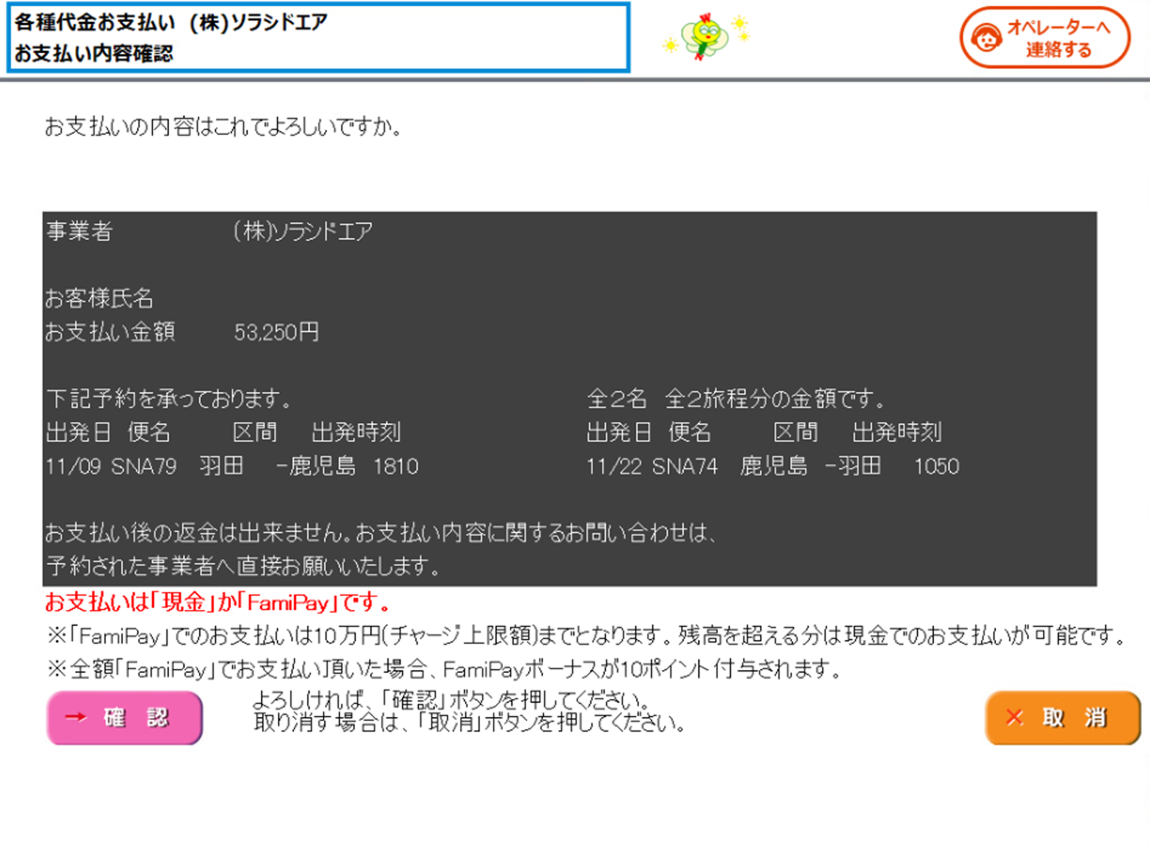
The reservation details will be displayed. After confirming the details, tap "確認 (Confirm)".
STEP7
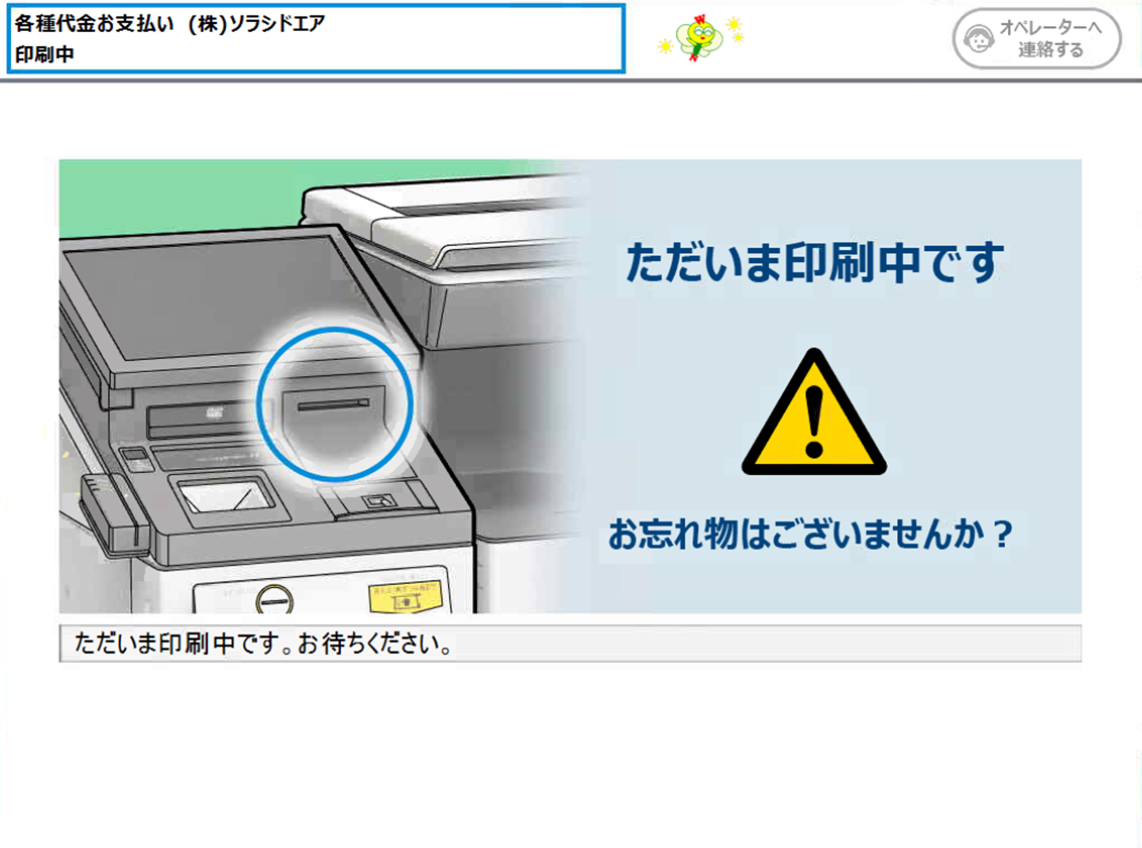
Take the claim ticket printed by the terminal to the register within 30 minutes, and pay with cash. After paying, you will receive a Transaction Statement/Receipt.