
Loppi Operating Instructions
Operating Instructions
- Before visiting a convenience store, please be aware that you cannot use in-store terminals to change a reservation.
- This method cannot be used for reservations for which another payment method has been selected.
- Note that this method cannot handle tour products or reservations that include wait-listed flights.
STEP1
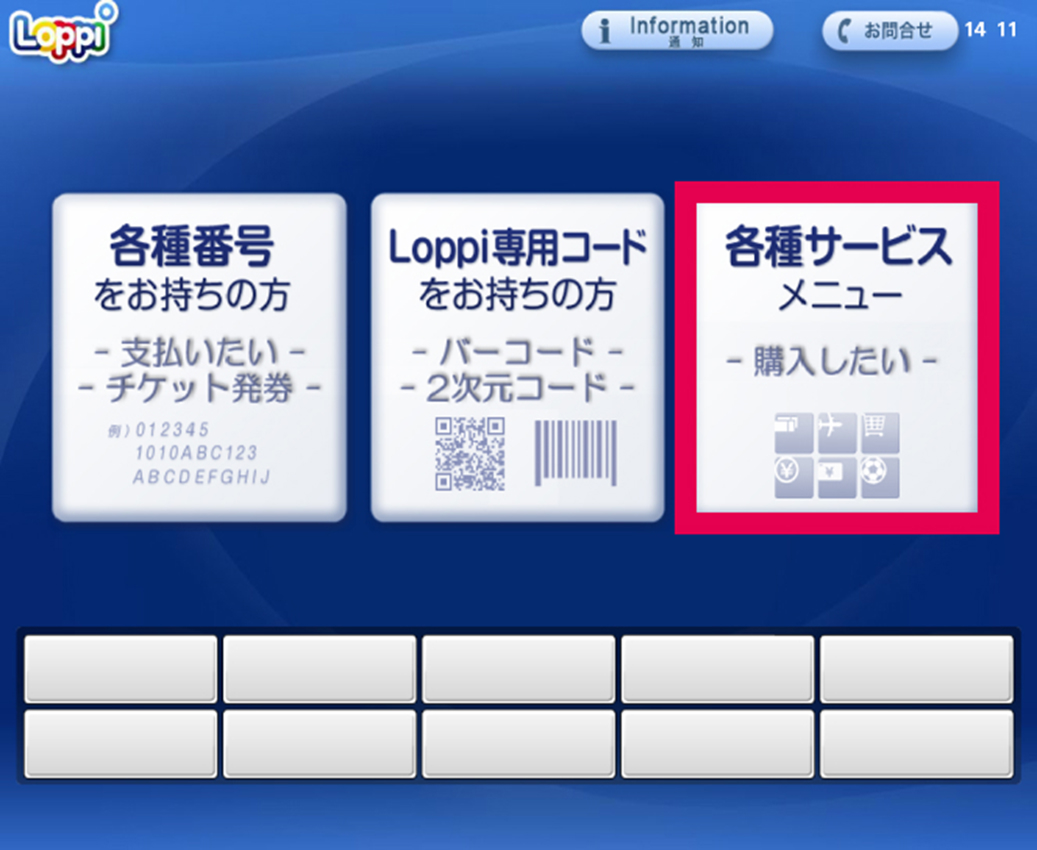
Select "各種サービスメニュー (Services Menu)" on the right side of the main screen of the terminal.
STEP2
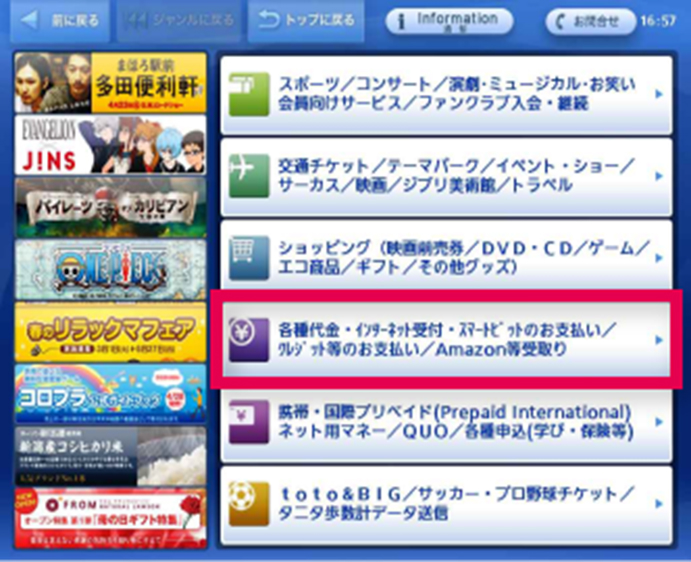
Select "各種代金・インターネット受付・スマートピット(Smart Pit)/クレジット等のお支払い/Amazon等受取り (Miscellaneous Payments / Online Reception / Smart Pit / Credit Card Payment / Amazon, etc. Transactions)" from the middle row of the menu screen.
STEP3
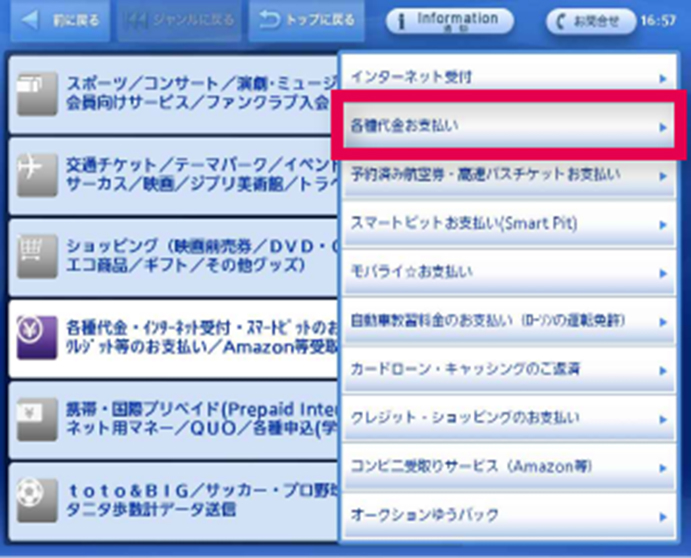
Select "各種代金お支払い (Miscellaneous Payments)" from the upper-right portion of the screen.
STEP4
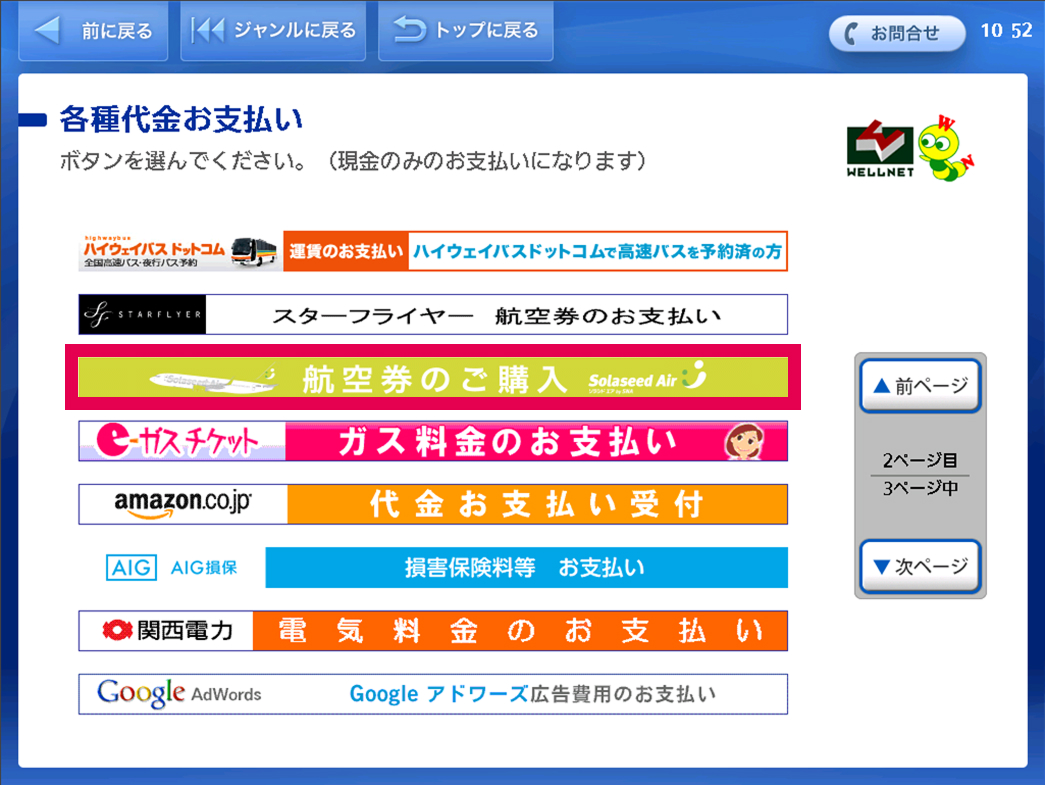
Tap "つぎ (Next)" on the right side of the Miscellaneous Payments screen to display the second page, and then select "航空券のご購入 Solaseed Air (Purchase Airplane Tickets -- Solaseed Air)".
STEP5
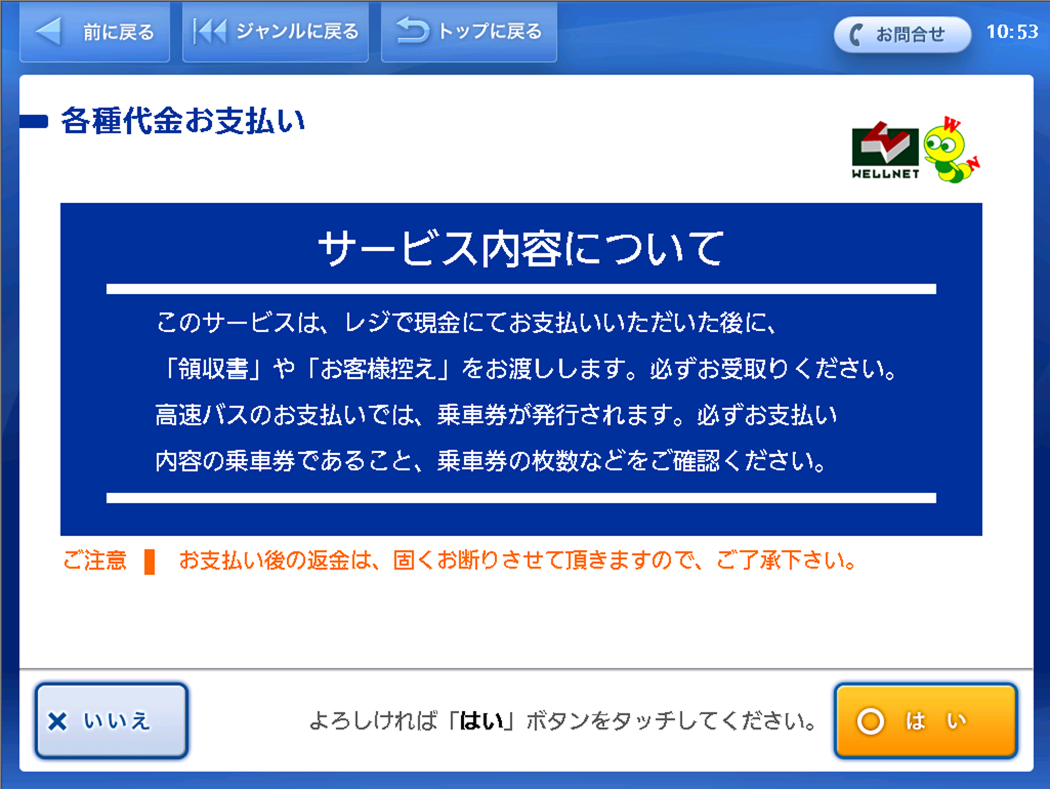
Service details will be displayed on the confirmation screen. Confirm the details and tap "はい (Yes)" if they are acceptable.
STEP6
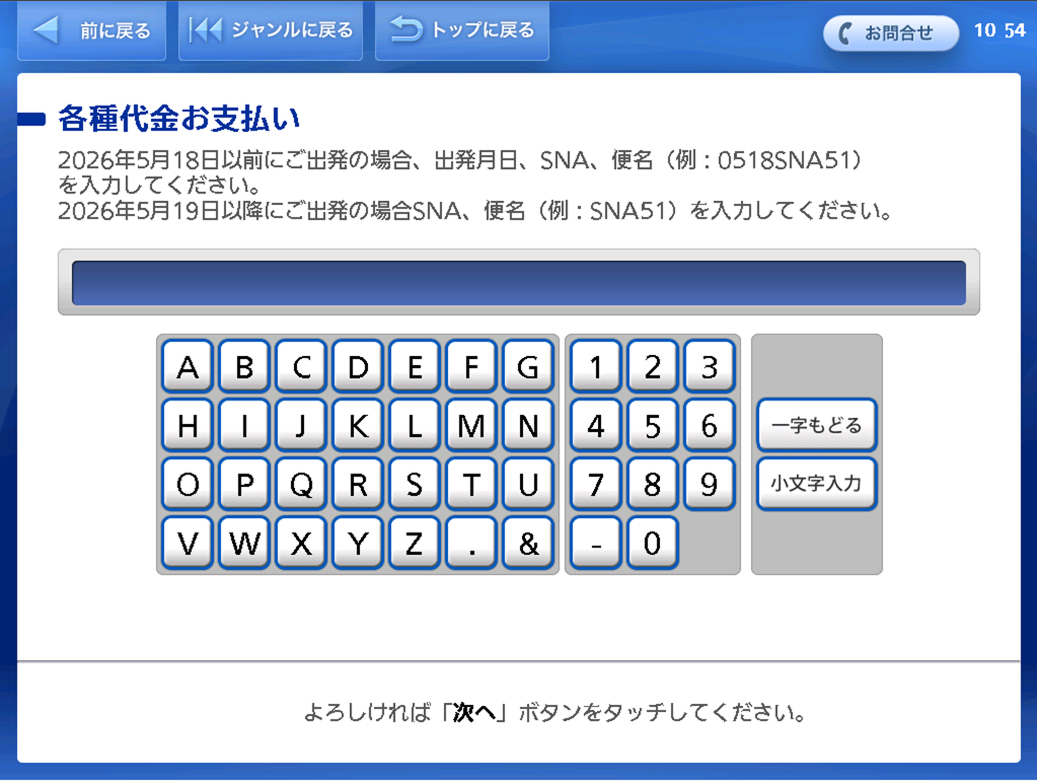
Input the following details and then tap "次へ (Next)".
- [For flights departing on or before May 18, 2026]
Departure date (four digits representing month/day), airline (SNA), and flight number (two digits)
E.g.: May 18, 2026 for the use of SNA51 ⇒ 0518SNA51 - [For flights departing on or after May 19, 2026]
Airline (SNA), and flight number (two digits)
E.g.: May 19, 2026 for the use of SNA51 ⇒ SNA51
STEP7
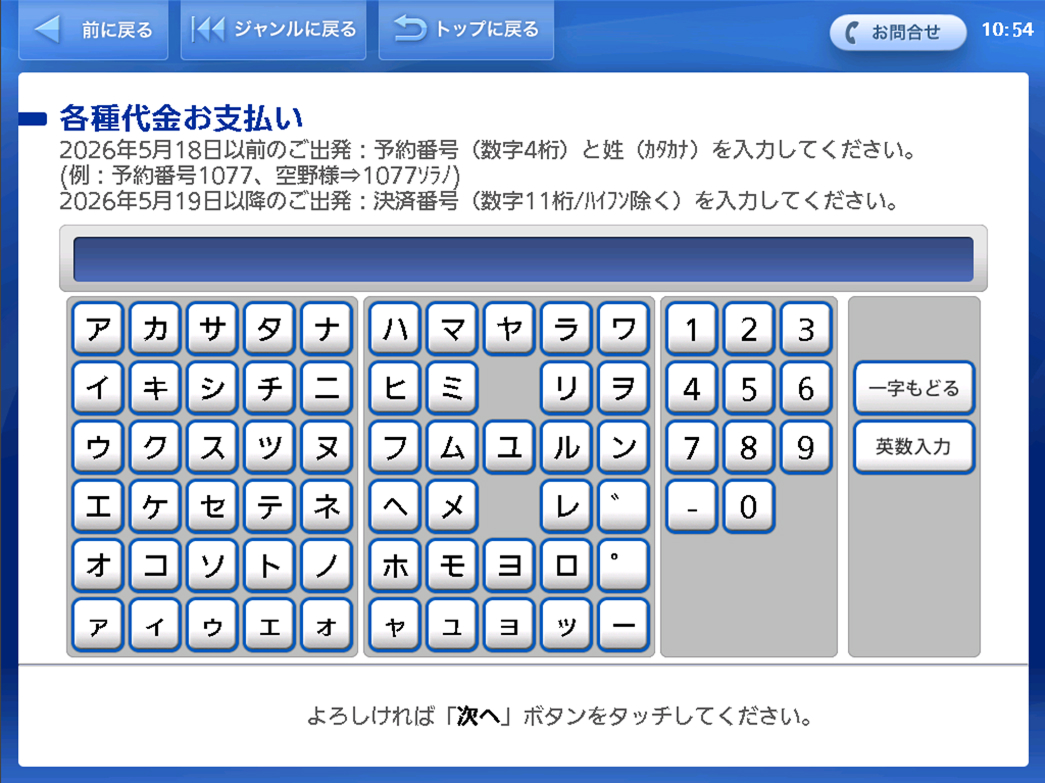
Input the following details and then tap "次へ (Next)".
- [For flights departing on or before May 18, 2026]
Reservation number (four digits) and name (last name)
E.g.: Reservation Number 1077, Mr.Solano ⇒ 1077Solano - [For flights departing on or after May 19, 2026]
Payment number (11-digit number/excluding hyphens).
STEP8
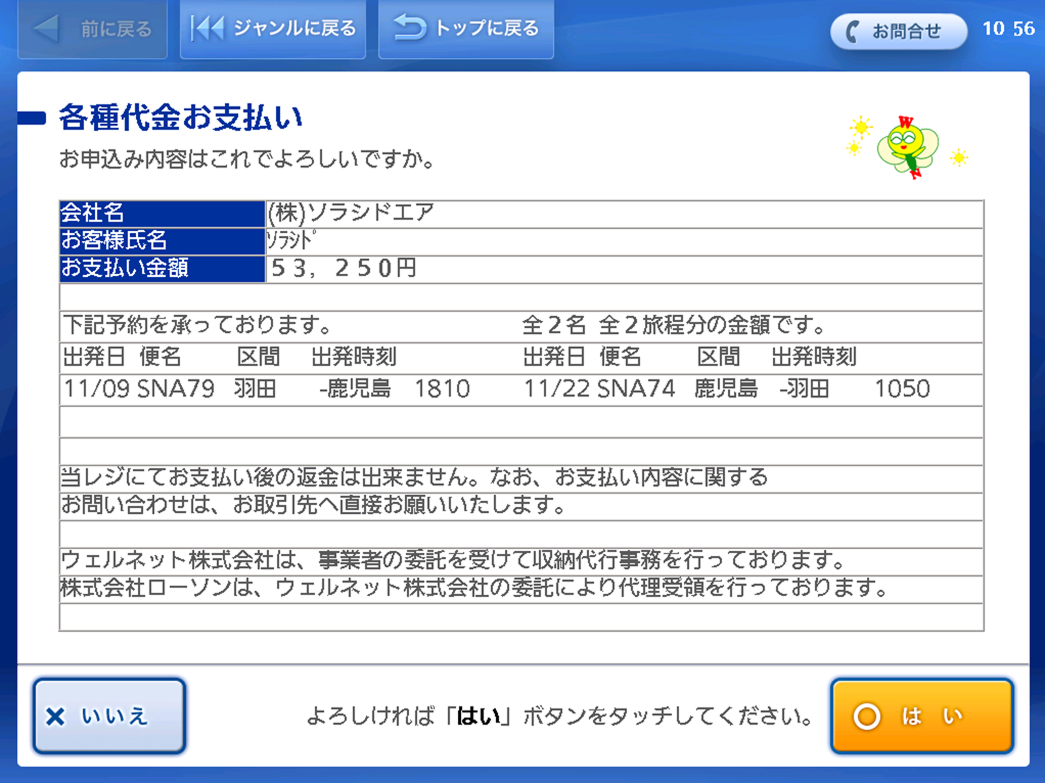
The reservation details will be displayed. After confirming the details, tap "はい(Yes)".
STEP9
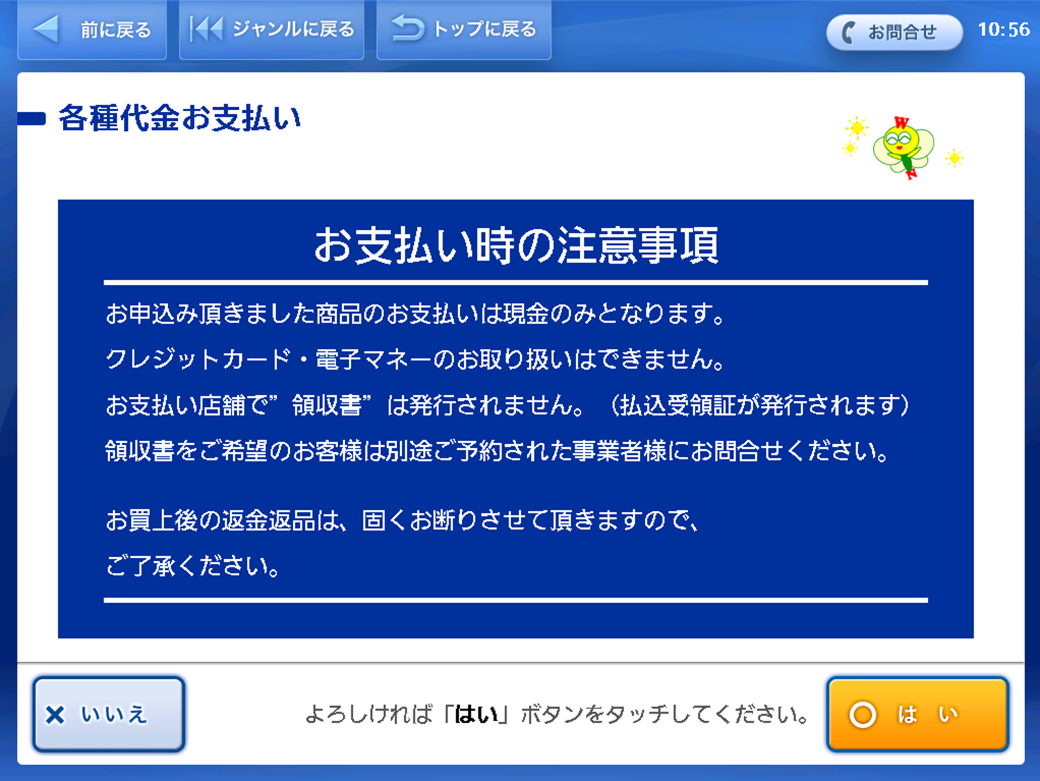
Important items of note regarding payment will be displayed on the confirmation screen.
Confirm the details and tap "はい (Yes)" if they are acceptable.
STEP10
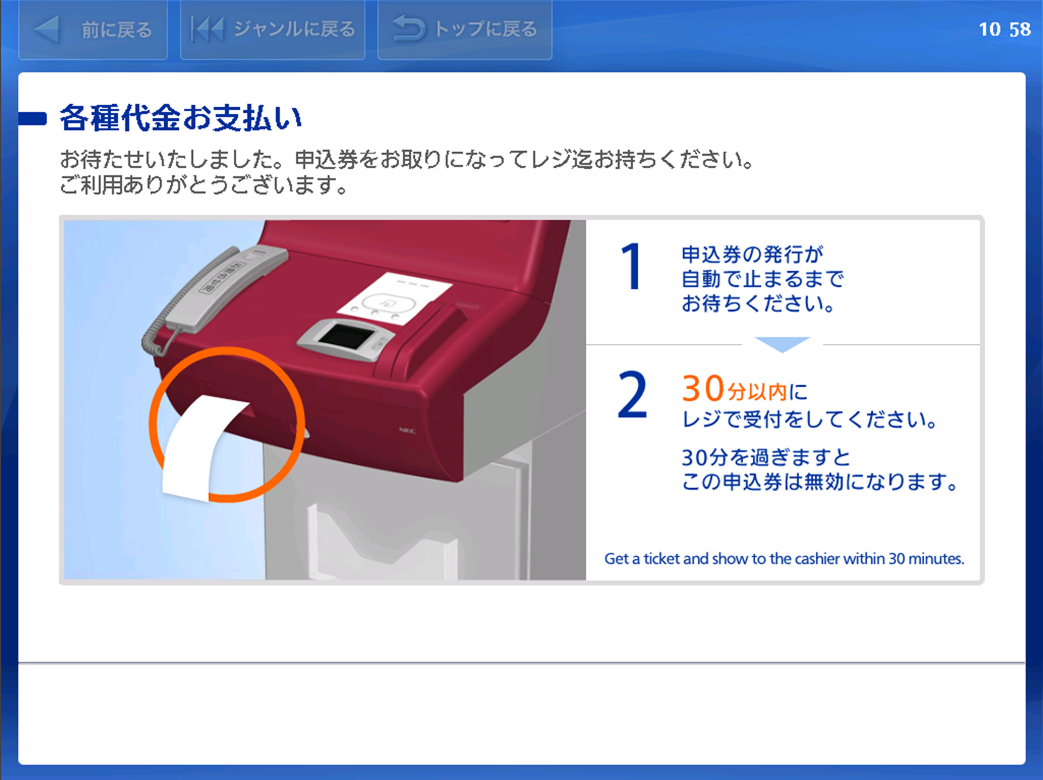
Take the application ticket printed by the terminal to the register within 30 minutes, and pay with cash. After paying, you will receive a Transaction Statement/Receipt.
- The confirmation number and reservation number (which are needed for the boarding procedure) are shown on the Transaction Statement/Receipt. Please keep it safe until the boarding date.