
Payment with Cash Using a Pay-easy Compatible ATM
Operating Instructions
- Before visiting a convenience store, please be aware that you cannot use in-store terminals to change a reservation.
- This method cannot be used for reservations for which another payment method has been selected.
- Note that this method cannot handle tour products or reservations that include wait-listed flights.
STEP1
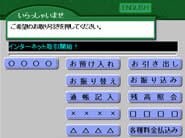
Select "各種料金払込み (Fee Payments)".
STEP2
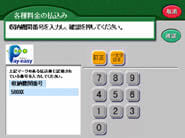
Enter 58021 as the receiving institution number and tap "確認 (Confirm)".
STEP3
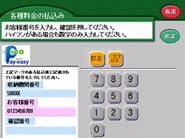
Enter the settlement number as the customer number and tap "確認 (Confirm)".
STEP4
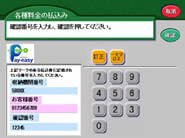
Enter the reservation number and tap "確認 (Confirm)".
STEP5
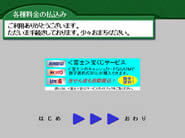
Please wait until the reservation information search results screen appears.
STEP6
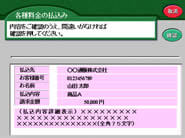
When the reservation information is displayed, tap "確認 (Confirm)".
STEP7
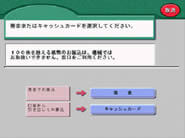
Tap "現金 (Cash)".
STEP8
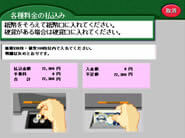
Insert cash into the deposit slot.
STEP9
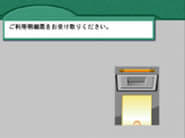
Take the payment statement.
STEP10
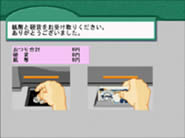
Payment is complete.
(Please take your change when it is provided.)