
How to Display Receipts
Click 'Issue Receipt' on the main page of the Solaseed Air website and follow the instructions shown on the screen.
How to Display Receipts
STEP1
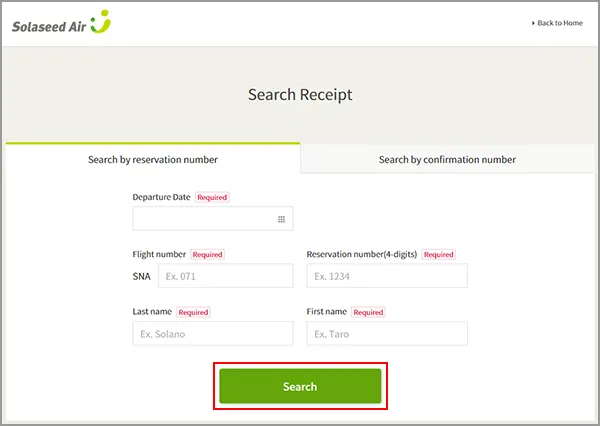
Select 'Search by reservation number' or 'Search by confirmation number', enter the required information, and click 'Search'.
STEP2
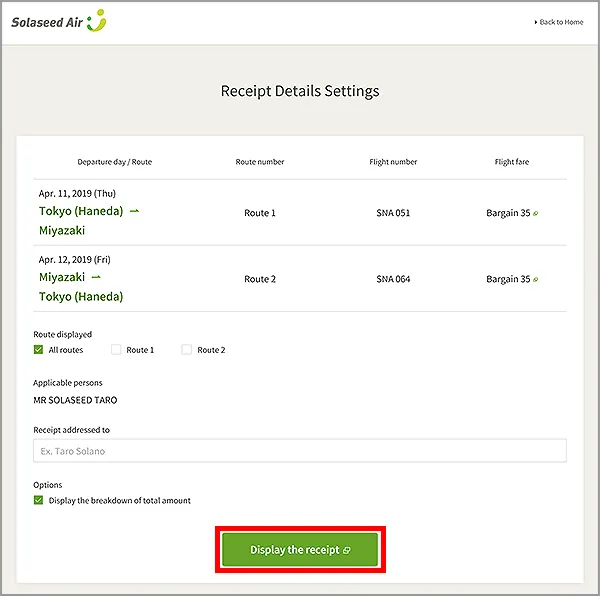
Select the route and passenger you would like to display, enter 'Receipt addressed to', and check the 'Display the breakdown of total amount' option if necessary. Then click 'Display the receipt'.
STEP3
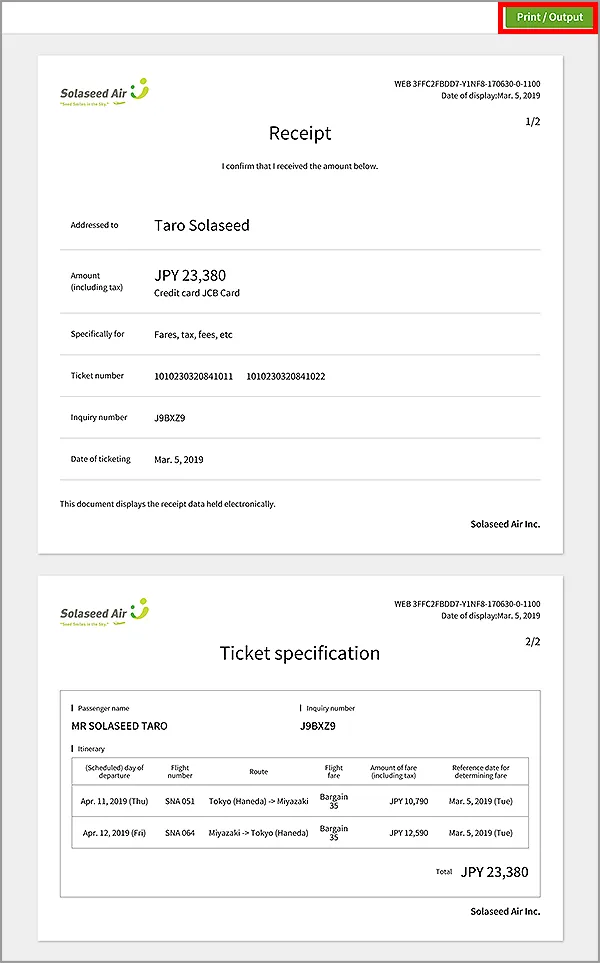
The receipt will be shown, along with the details if you selected the details option on the previous screen. If necessary, click 'Print/Output' at the top-right corner of the screen to print the receipt.
(You also need to be connected to a printer in order to print. Printing from a smartphone might require you to configure your browser or install another application.)
How to Display Handling Fee Receipts
STEP1
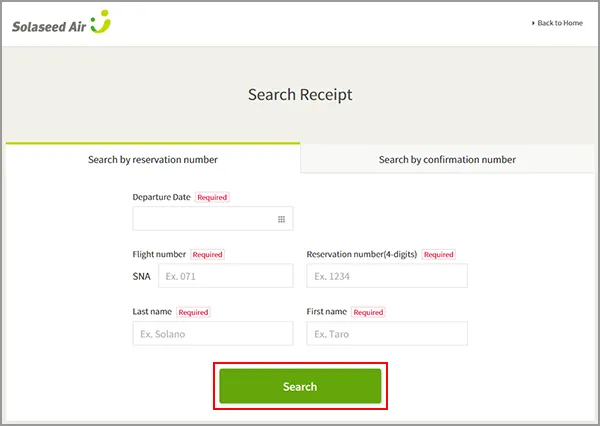
Select 'Search by reservation number' or 'Search by Confirmation number', enter the required information, and click 'Search'.
STEP2
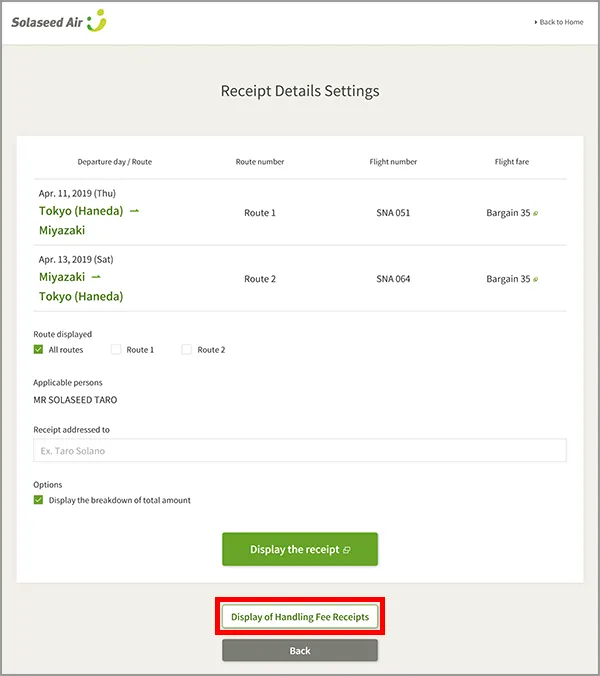
Click 'Display of Handling Fee Receipts'.
STEP3
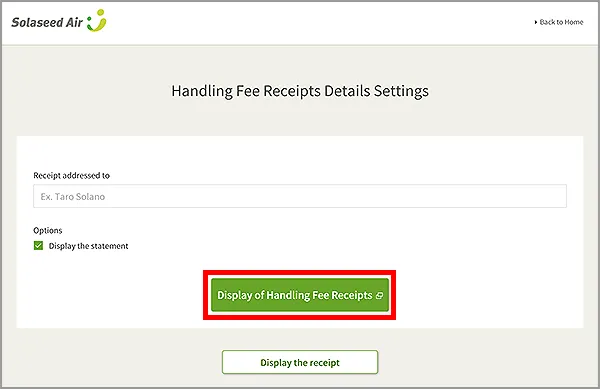
Enter the 'Receipt addressed to', and check the 'Display the statement' option if necessary. Then click 'Display of Handling Fee Receipts'.
STEP4
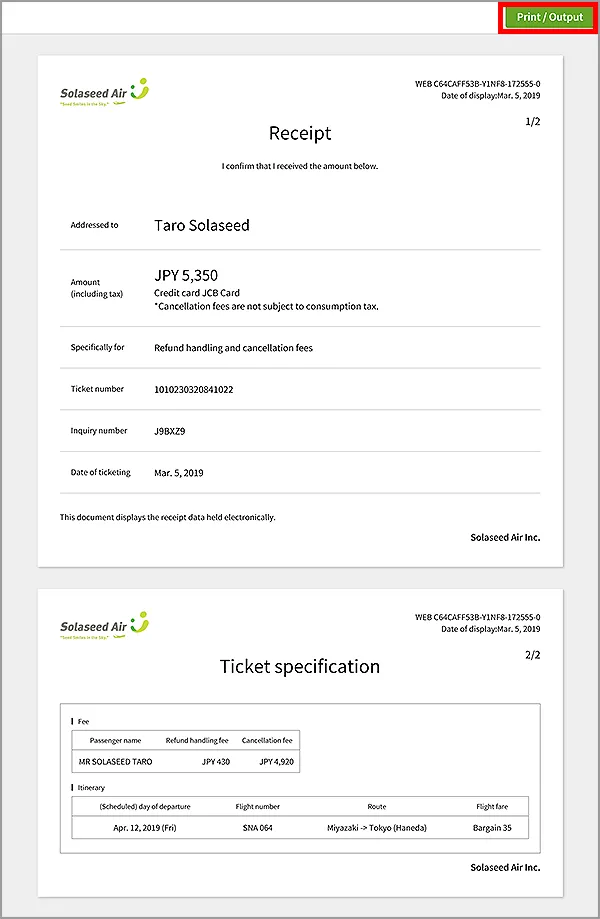
The handling fee receipt will be shown, along with the details if you selected the details option on the previous screen. If necessary, click 'Print/Output' at the top-right corner of the screen to print the receipt.
(You also need to be connected to a printer in order to print. Printing from a smartphone might require you to configure your browser or install another application.)
Instances Where Receipts Cannot Be Shown
- If more than 16 months have passed since the ticket purchase date.
- If the receipt cannot be issued by Solaseed Air.
- If the reservation is for three or more flights.
- If the reservation is for seven or more passengers.
- If you want a receipt for the cost difference caused by a reservation change.
- If you would like to combine multiple receipts or issue separate receipts, etc.
- If the ticket has been refunded (Handling fee receipts can be issued.)
- If the ticket was a Reward Ticket, infant ticket, etc. for which JPY 0 was paid.
- In some cases, depending on the details of the reservation, some aspects of this service might be unavailable even for issuable receipts. (Receipts can be issued by the Solaseed Air Reservation and Information Center and by the Airport counter.)
Click 'Issue Receipt' on the main page of the Solaseed Air website and follow the instructions shown on the screen.
How to Display Receipts
STEP1
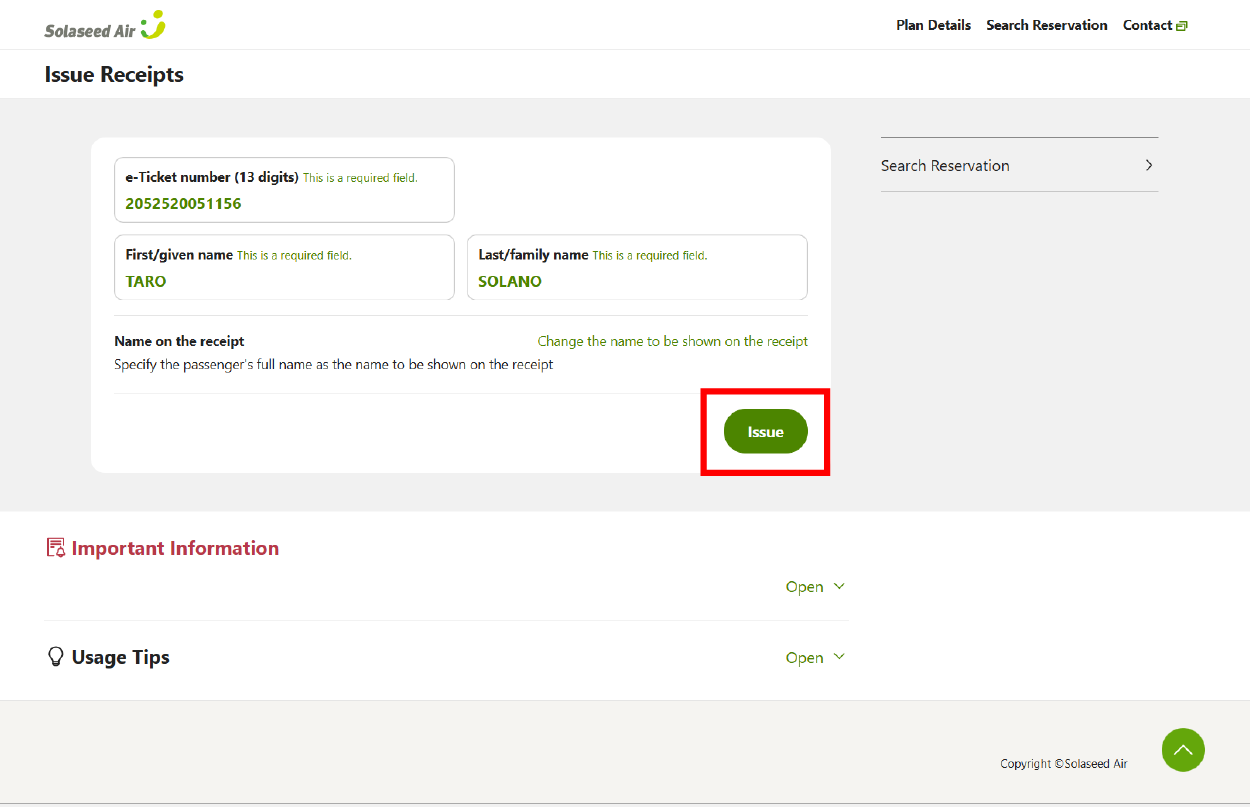
Enter the "Ticket Number (13 digits)", "First Name ", and "Last Name " for the ticket for which you wish to display the receipt, then press "Issue".
- For information on how to confirm your ticket number, please refer to "How to Check Your Authentication Code (e-ticket number,etc.) required for check-in" within the "Check-in Procedure" section.
STEP2
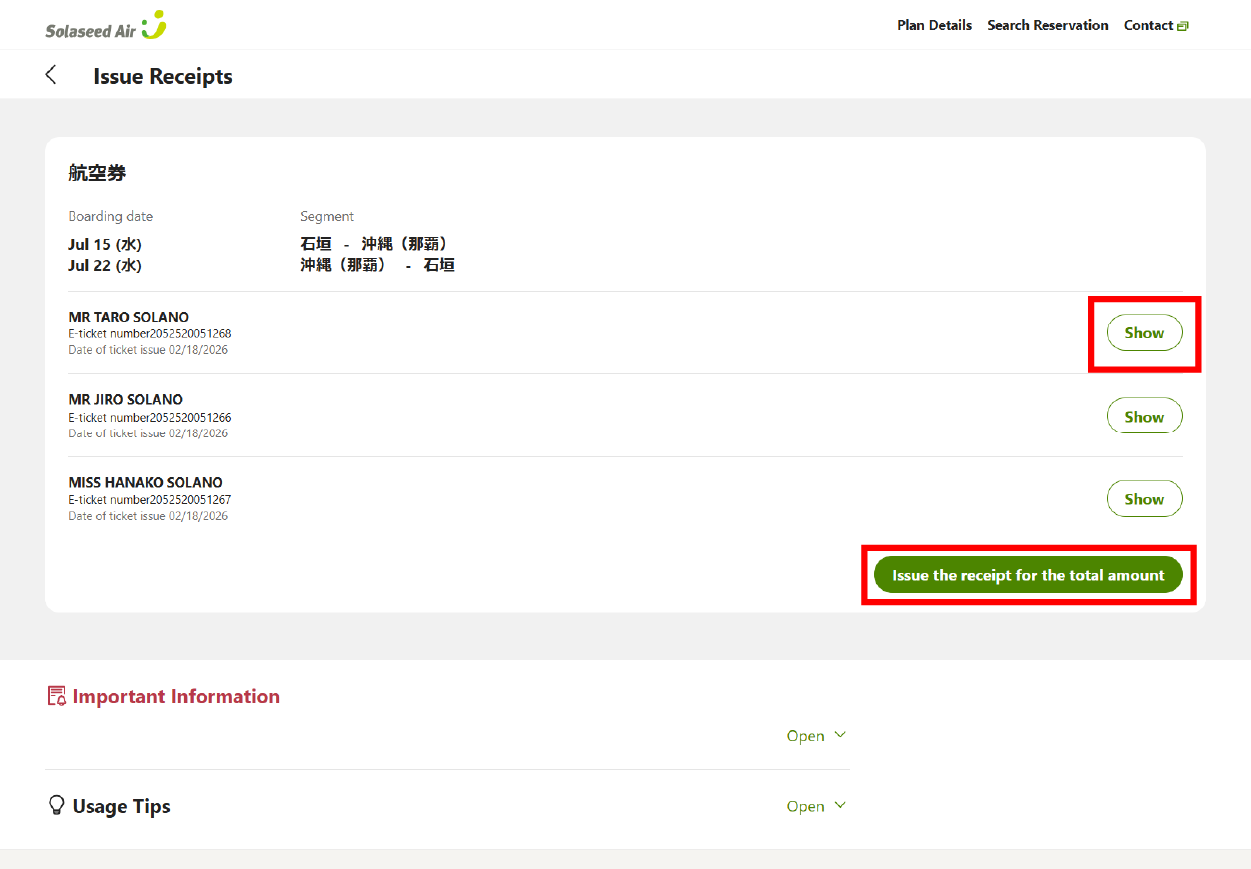
To display receipts for each passenger, please click the "Show" button next to the passenger information.
To display a receipt for the total amount, please click the "Issue the receipt for the total amount" button.
Instances Where Receipts Cannot Be Shown
- Flight reservation change charges and cancellation charges
- Following a change of itinerary, the total flight ticket amount including fare differences
- Following a change of itinerary, the amount of the original ticket
*Only receipts for additional charges can be issued following a change of itinerary. - Tickets purchased via a travel agency (please contact the agency from which you purchased the ticket)
- In some cases, depending on the details of the reservation, some aspects of this service might be unavailable even for issuable receipts. (Receipts can be issued by the Solaseed Air Reservation and Information Center and by the Airport counter.)