
How to Reserve Your Seat
STEP1
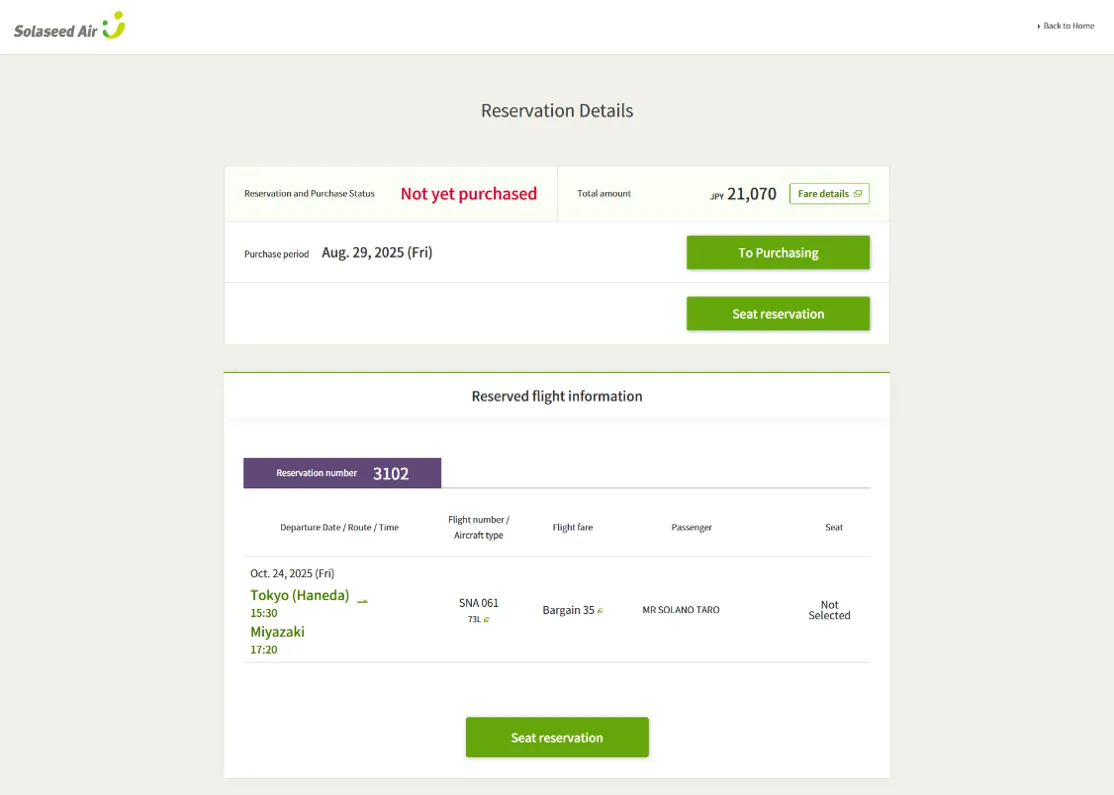
Please select "Seat Reservation" on the "Reservation Completed" or "Reservation Details" screen.
Cautions
- Please note that the number of seats available for advance reservation is limited.
STEP2
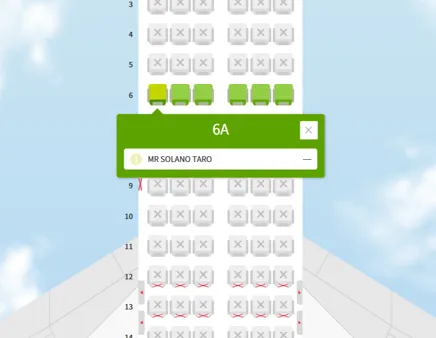
Green seats shown on the seat map are the seats that can be reserved in advance.
When you select your preferred seat, your name will be displayed.
Cautions
-
Your seat reservation is not yet complete at this point.
Please be careful that if you click the browser's "Forward" or "Back" button, the operation may not be completed correctly.
STEP3
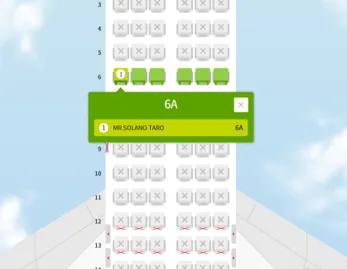
When you click on your name, the passenger name field will turn green, and the seat number will appear next to your name.
When the passenger name field is green, click the "Confirm" button to complete your seat reservation.
STEP4
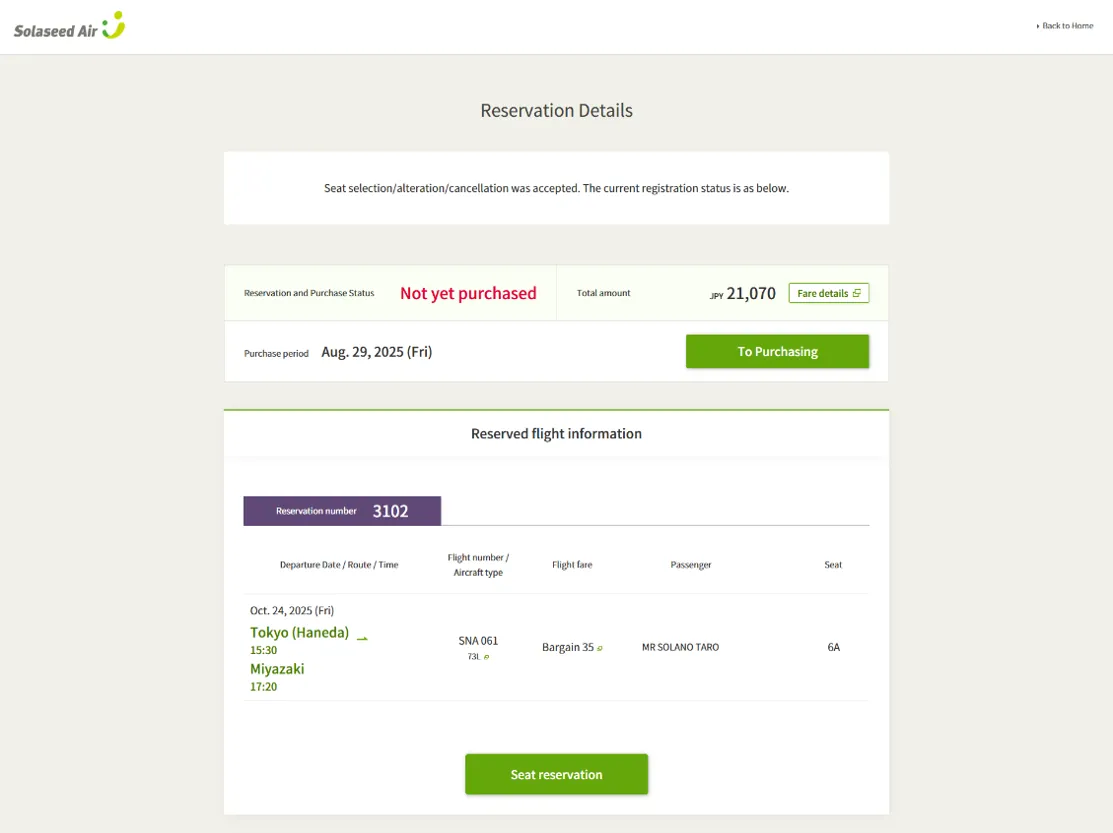
You can check your reserved seat in the "Seat" box in the "Reserved Flight Information" section on the "Reservation Details" screen.